

So you want to host a virtual conference.Great!
Virtual events are experiencing a major surge, and you’ve probably already attended at least a dozen of them – yes, those WFH happy hours and live yoga classes still count.
Online events create a cost-effective and inclusive solution for those facing travel restrictions and are likely to remain long after the world returns to “precedent” times.
But where do you start? And how do you make your virtual meeting a success?
We hear you and we’ve been there too!
ClickUp recently held its own large-scale web conference, LevelUp, managed entirely within ClickUp itself! But whether you’re planning the ultimate productivity conference or your sister’s Zoom baby shower, there are five essential steps to planning the virtual event of your dreams .
5 Steps to Virtual Success
When you boil down the checklist for any virtual event, there are a few steps that many plan for success. have in common.
So buckle up and get your ClickUp Chrome extension ready for some notes, because we’re here to share those steps with you right now!

Step 1: Choose your event
Before planning takes place, you need to establish the type of virtual event you will hold. Maybe it’s a conference or a webinar? And what’s the difference? There are four main types of virtual events that your event will likely fall into.
Avirtual conferenceis ideal for a longer, large-scale virtual event with a detailed agenda that each attendee can choose to build their day around. A virtual conference is typically held in real time and is the perfect type of event for lead generation and online networking.
AWebinaris shorter than a conference and is a stand-alone virtual event that serves the purpose of a class or “how-to”. A Webinar doesn’t offer much in terms of networking opportunities, as this type of event is usually recorded to be replayed whenever the attendee wants, but it usually includes a question and answer session if and when the event was held in real time.
Hybrid indoor and outdoor eventsare events that happen online and in-person at the same time.
Type: virtual weddings and engagement parties.
Many meetings, holiday parties, and team events also take place in this format! If the event is limited to just team members within a company, it is an internal hybrid event. But if potential customers, users, or other companies are invited to the party, it’s considered a hybrid offsite event —and a great networking opportunity!
Step 2: Choose Your Virtual Conference Platform
Once you’ve decided which type of virtual event best serves your purpose, consider how you’ll broadcast your event.
There are countless streaming platforms to suit all budgets, so before committing to an option based on price alone, first consider the goal and scope of your event.
Ask yourself:
- What is the goal of your event?Go back to the type of virtual event and write down the qualities that made you choose the format that was best for you and why
- How many attendees do you expect?There will be thousands of guests or ten of your closest friends
- What resources do you absolutely need?If audience participation is a big part of your event, look for platforms that allow members to chat, raise their hands, or speak to their peers. If your event is a ten-minute tutorial on how to twirl and dye your eyebrows at home, maybe focus on a platform that lets you live stream and record for later.
Asking yourself these questions might raise some new ones that aren’t listed here. And that’s good! At the very least, these three will get your mind working in the right direction to choose the perfect streaming platform.

Some of our top streaming platform picks:
As the world of virtual events grows, so does the pool of streaming platforms to choose from! Choose carefully, this will essentially be your virtual location – and remember, there’s no need to settle! Some of our favorites include:
- Brandlive : Brandlive is unique because it offers three different streaming products depending on the type of virtual conference event you are planning. Its products include Allhands, Streams, and Showrooms, allowing you to choose the experience tailored to your virtual event category – everything from daily work meetings to virtual product launches. This ensures you get the resources you need!
- HeySummit : This streaming platform will also help you create a landing page for your conference website before the event to track registration and jump-start your conference marketing. If you’re planning a series of talks or multiple speaker sessions, HeySummit is worth considering.
- AirMeet : A similar platform built for virtual summits and workshops. It emphasizes the social aspect of hosting an online event or webinar and promises a rich networking experience.
- Zoom : Ah, the tried and true. Zoom has become a household name over the past year and you’ve probably hit the 40-minute limit once or twice, but with its paid options, Zoom can host events of all sizes. Its breakout session feature provides networking opportunities for attendees and organizers, and the mobile device feature allows users to participate from anywhere.
Step 3: Keep your audience engaged
A big challenge of the virtual conference is that the event is, in fact, virtual.
There is a certain energy that accumulates in a room during a well-organized in-person conference – when the day is going exactly as you imagined and everyone is excited.
But don’t worry,that feeling is still possible with online events.
You just need to be a little more creative in how you keep your attendees glued to your content.
When structuring your event, split up how you’re delivering information and consider using a mix of live and pre-recorded content.
Especially for longer events like conferences or summits, mixed content gives presenters a brief break from speaking and can act as a contingency plan in the event of a technological error or timing error.
Mixed content also shakes up the way attendees absorb information and can help them remember important ideas and key moments from the day!
This could mean incorporating relevant videos made by your company for your event theme, or even a great gif. And who doesn’t love a good gif?

Pro tip: share and discuss content ideas with your team throughout the planning process by storing them in ClickUp! Embed YouTube videos, Vimeo URLs, Google Drive files, and screen recordings directly into task descriptions and comments so you’re never more than seconds away from the content you need.
Another way to keep people on their toes? Choose a relevant host or speakers who can keep the agenda moving.
A solid speaker can help attract more ticket sales to your event and keep your guests on their toes! Especially guest personalities who specialize in your event topic or industry experts, are household names in the company, or are professional speakers who know how to fill any unexpected dead space.
Just like Amy Poehler and Tina Fey have hosted the Golden Globes four times and like ClickUp brought in world-renowned organizational psychologist Adam Grant as LevelUp’s keynote speaker 2021. 😉
Even with a great speaker or host, consider these options to fill your schedule with meaningful opportunities to flex your knowledge:
- Offer breakout sessions or panel discussions throughout the day for attendees to learn from a moderator and discuss together. This is a great way for your guests to get to know each other and interact on both sides
- If possible, enable chat features on your platform so participants can interact and interact with each other at any time.Live a little
- Set aside time for live Q&A sessions at the end of each section. The virtual conference will feel more personal and your guests will feel more engaged if they know they are part of the conversation. Have another member of your team monitor your event chat so no question goes unanswered
Step 4: Manage all the moving parts in one place
It goes without saying that a LOT of planning goes into a virtual conference of any size, and if you’ve reached this stage of the game, you’re probably already feeling it. Track your progress on your virtual event timeline by organizing your tasks in an online project management platform.
Ara, you must use ClickUp .
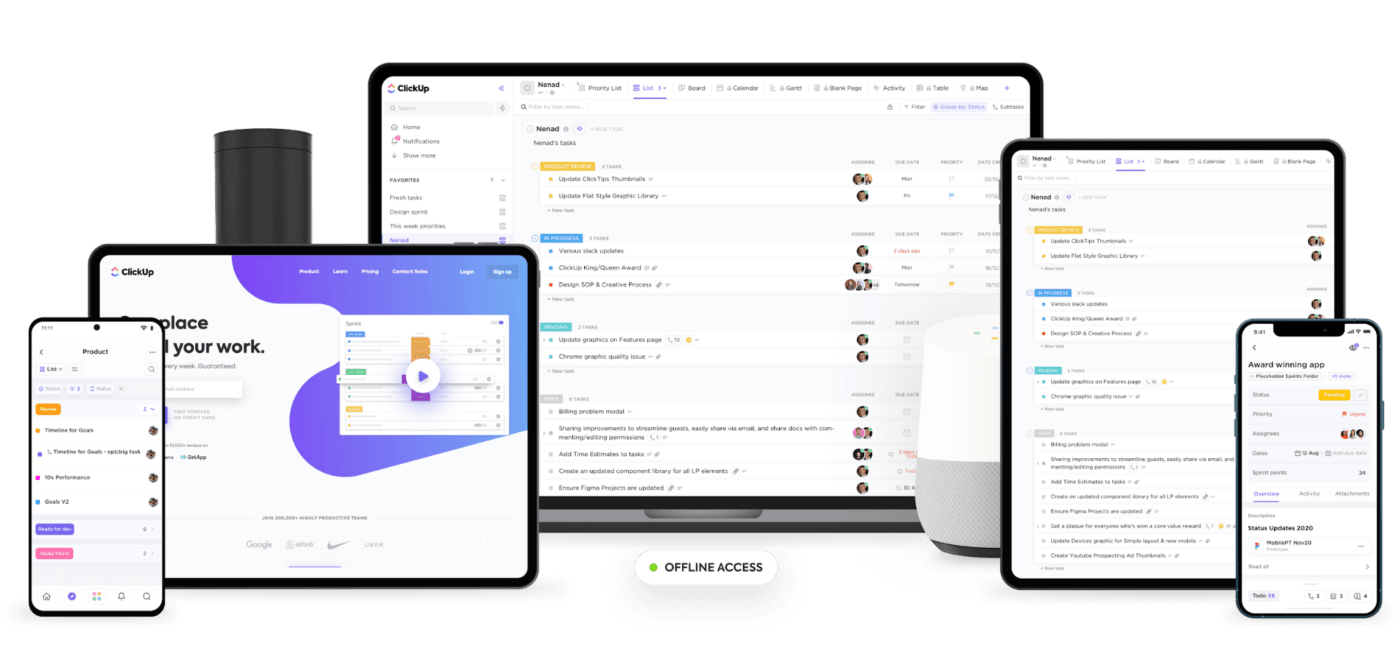
ClickUp is the glue that will hold your virtual event planning together, and one of its main assets is its customization abilities. In other words, everyone on the team can work the way they want .
How do we use our own platform to plan LevelUp? Here are some little must-haves that make a big impact:
- Create a single list for all things related to your upcoming conference and add custom fields to your tasks for each department to show which stakeholders and organizers the task relates to.
- Quickly find the tasks assigned to you in each list with filters and me mode. Find your immediate and most urgent tasks by eliminating any distractions and looking at tasks that belong to certain event organizers or just you
- Use Dashboard to easily see an unfiltered summary of how close you are to completing your project. Basically, this is the bird’s eye view of how things are going. Us Dashboard in meetings when reporting to stakeholders or project managers
- Host your meetings directly in ClickUp! Turn any meeting into a Zoom meeting with the Zoom integration in your ClickUp task
Step 5: Market as much as possible
You’re almost there! You have:
✅ The type of event
✅ The streaming service
✅ The calendar
✅ The best project management tool.Cough, cough, ClickUp.
Now, it’s time to put virtual butts in those virtual seats by implementing a comprehensive marketing strategy to achieve your goals.
Virtual conferences give you the flexibility to attract audiences from all over the world, as long as you know how to reach them! ClickUp can help you manage your social media posts, videos for your company’s YouTube channel, email marketing, public relations strategies, and more.
Use custom fields to quickly access posts, forms, documents, URLs, and even basic information for review or reference. They track your tasks and subtasks through every step of the planning process, and the sky’s the limit when it comes to everything custom fields can contain! So have fun with it. 🤓
If your marketing strategy includes adding VIP status to your guest list, influencer offers to promote your event, or sponsorships, then it’s time to useClickUp Template Center .
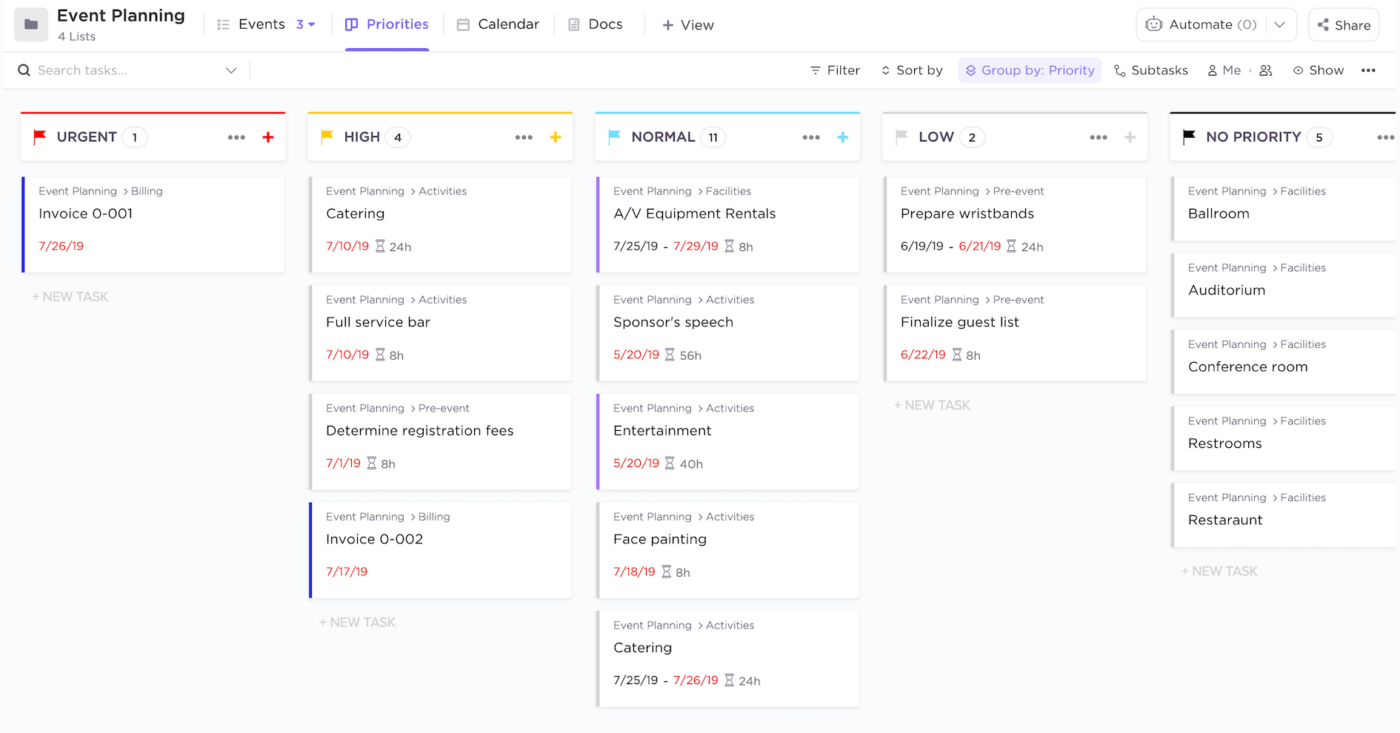
Choose one of ClickUp’s pre-made templates designed for event planning or create your own to quickly cover all the bases needed for recurring tasks.
Ready, set, GO!
Remember, this is just the get started!
These may be the five essential steps for planning your next virtual conference event, but the possibilities are endless and the online events market is only getting bigger! So let ClickUp do the heavy lifting on the organizational side and let your creativity run wild!
Explore more
Everything TaskUP does with ClickUp, in English.