

Each week, ClickUp brings updates that aim to optimize the way you organize and manage your tasks. In the new release, there are a series of new features focused on customization and efficiency, perfect for improving the use of the platform. Let’s explore each one!
1. Custom Locations Overview
Now you have even more control over how you view your workspaces. With the redesigned locations overview, you can add, move, reorder, and resize dashboard cards in a personalized way. This applies to spaces, folders and even sprint folders, allowing you to create an interface that adapts to your specific organizational needs.

2. Group by Custom Relationships
The new grouping by custom relationships functionality makes it even easier to manage databases, track epics and view tasks linked to specific projects or clients. This option offers a powerful way to organize and filter information, helping you focus on exactly what’s important. Keep an eye out for future updates that will bring new types of relationships and views!

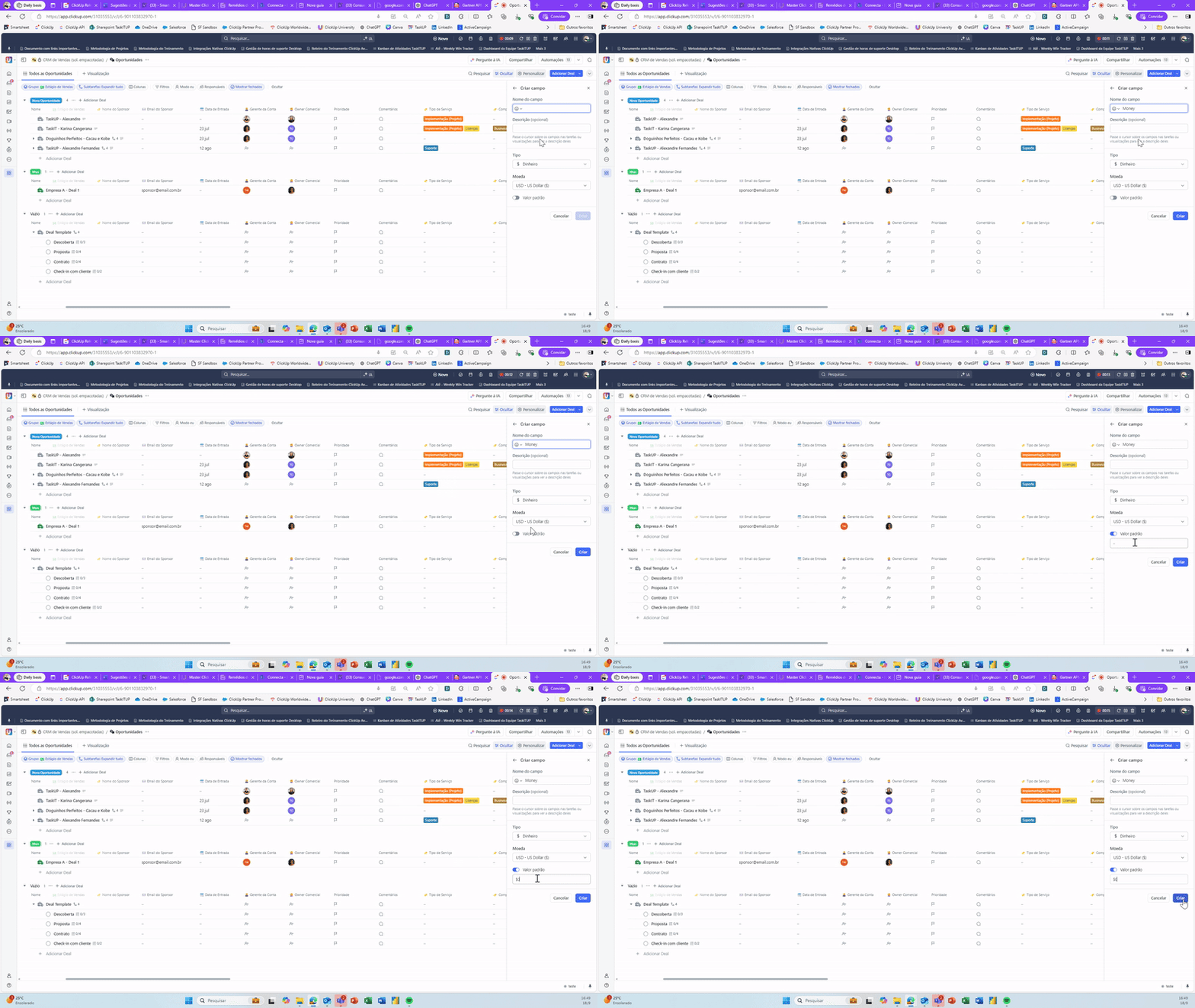
3. Default Values for Custom Fields
Forget blank fields without context! You can now set a default value for any custom field. Thus, whenever a new task is created in a location that uses this field, the default value will be automatically filled in, ensuring that no essential information is left out at the beginning of the process.
4. Template Support in Dashboard Views
Now, when creating a dashboard in any list, folder or space, it can be saved as a template directly in that location. This means that you can reuse already created panel structures, ensuring consistency and saving time when configuring new projects or spaces.

5. Defining Priority when Creating Tasks on Mobile
From now on, it is possible to define the priority of tasks directly at the time of creation through the mobile application. This way, all team members are aligned from the beginning about the importance of each task, making it easier to organize and focus on what really matters.
6. “Updated Task” Trigger for Custom Fields with AI
Want to keep closer control over specific tasks? You can now add the “Task Updated” trigger to AI-powered custom fields and receive notifications of any changes made. This level of automation allows you to keep track of important changes and stay informed about the progress of your priority tasks.

These are the new additions to ClickUp this week, with features focused on customization and efficiency. Take advantage of these updates to further streamline your workflow and keep your team aligned. Don’t forget to stay tuned for upcoming news!
Want to know more about the impact of these new functions? Keep an eye on our blog for exclusive tips!
Explore more
Everything TaskUP does with ClickUp, in English.