

Why are time management techniques important?
We all need ways to help us manage time effectively. Whether at home or at work, time management skills are essential if you want to accomplish your to-do list. Time management in the workplace is especially important. When you’re faced with multiple tasks, people depending on you, and critical deadlines, you need a way to stay focused and productive. This becomes even more relevant when you’re working in a team.Benefits of Effective Time Management Techniques for Teams
Being able to make your to-do list Tasks on time doesn’t just affect you. It’s a big win for the rest of his team, too. The opposite is also true – falling behind and this can have a domino effect on the rest of the team or project. Whether it’s improving your work-life balance, prioritizing tasks, or using some simple time blocking methods, the positive effects of proper time management are very beneficial. Teams with strategies for managing their time enjoy benefits such as:- Delivering higher quality work that is more focused on urgent tasks
- Feelings of trust and reliability in your daily schedule
- A better work-life balance
- Less procrastination with time blocking effective
- Stronger working relationships across all your tasks
- Higher productivity levels for prioritizing tasks
- Less likely to burn out your energy levels on deep work
15 of the best time management techniques efficient
There’s no shortage of time management techniques out there. For some people, checking off tasks in blocks of time works – for others, it’s about tackling the most challenging task first. To help you find the right tips and tools for you, here are some of the most effective time management strategies out there.1. Set SMART goals
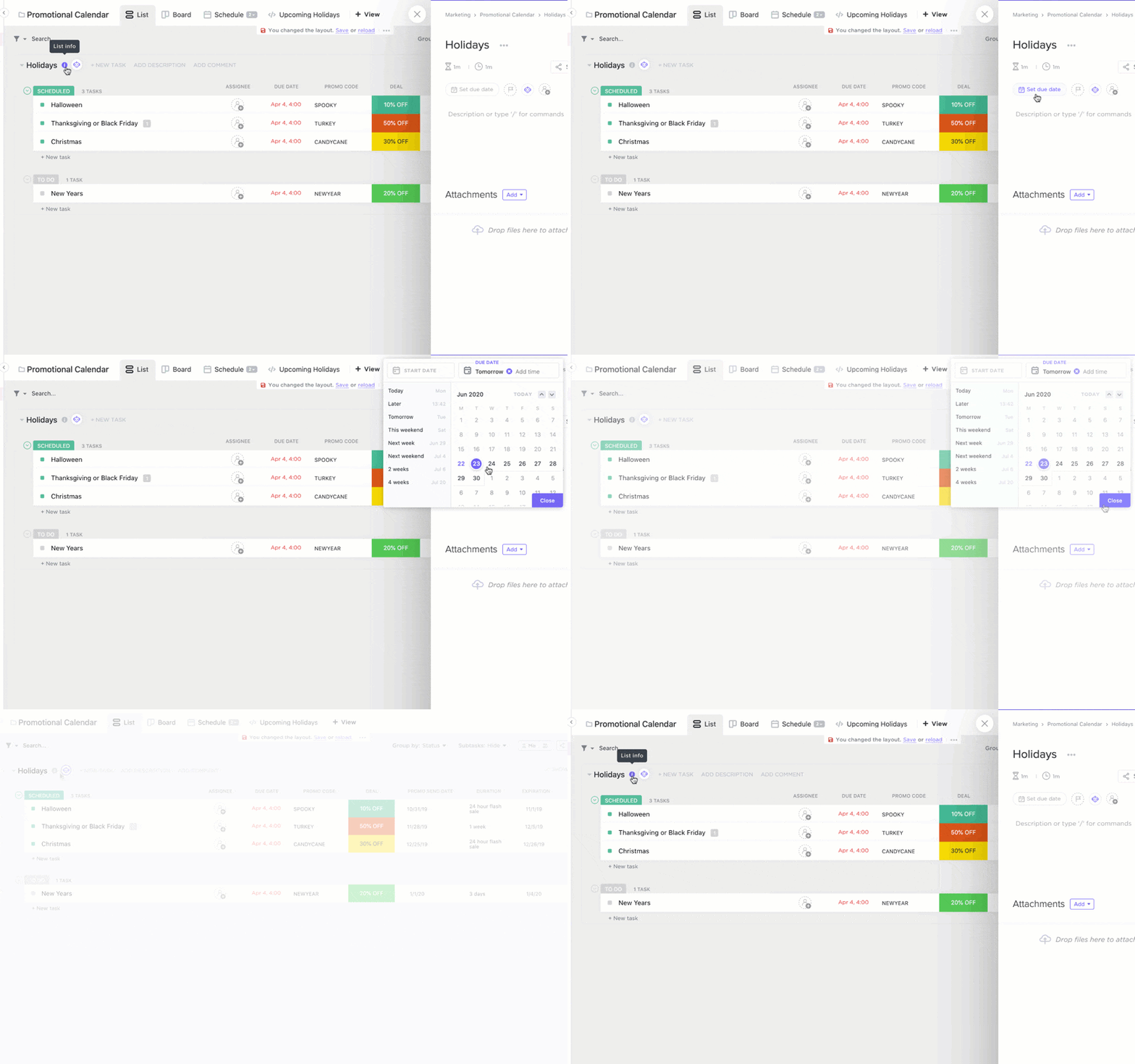
Without a real goal in mind, it’s easy to get distracted, procrastinate, and rush to finish your task on time. Setting SMART goals helps you understand what to focus on so you can work on tasks in a logical way. 🎯 Set goals with the SMART strategy in mind:- Specific: know what objective or result you want to achieve
- Measurable: Be able to track goal progress
- Attainable: achievable with the resources you have (or can gain access to)
- Relevant: helps you achieve an overall goal or priority
- Time limit : have a realistic deadline that you can meet
2. Try blocking out time to work on your most important tasks
Most of us have a rough idea of how long a task might take. Use this to your advantage and use Time Blocking to help you stay productive and organized. Time Blocking works by assigning blocks of time to specific tasks. During this specific time, you work only on that task and avoid distractions from other areas. This is a great way to stay focused, avoid procrastination, and get into the best mindset for deep work. 👀 Many people find time blocking useful when in fact they need periods of deep work. You can schedule time in your calendar to focus on a challenging task and then fill other areas around it with less challenging tasks.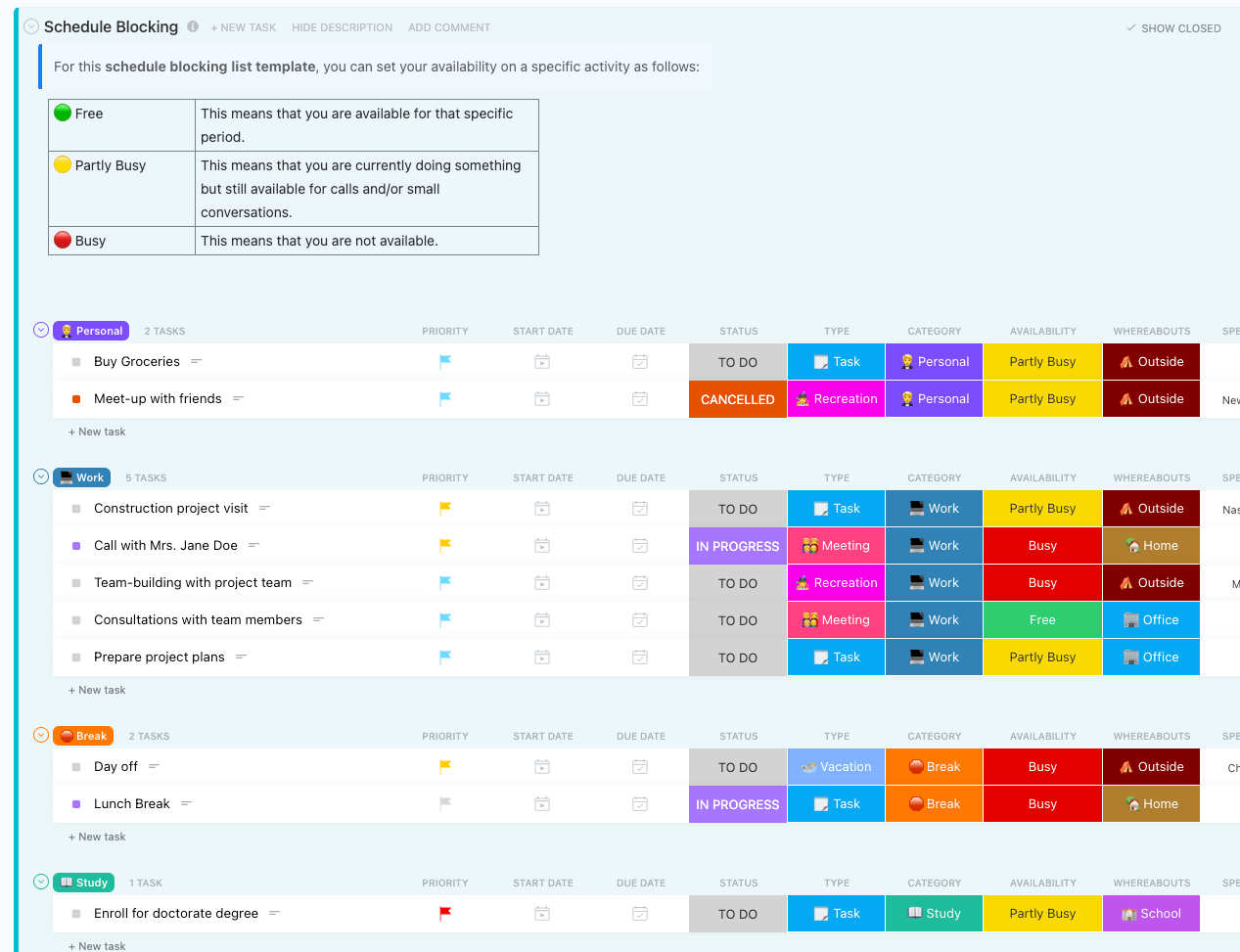
3. Eat that frog
Eat that frog is a time management strategy that’s all about prioritization. With this technique, you focus on the most important or demanding tasks first — and don’t move on to anything else until it’s complete. If you’re a procrastinator, this might be the strategy for you. By forcing yourself to tackle the most valuable task first, you can’t avoid it. Instead, you expend your most valuable energy levels to complete it first, and then get the satisfaction of knowing that you’ve done the hardest work and can mentally relax for the rest of the day by doing easier tasks. 🏖️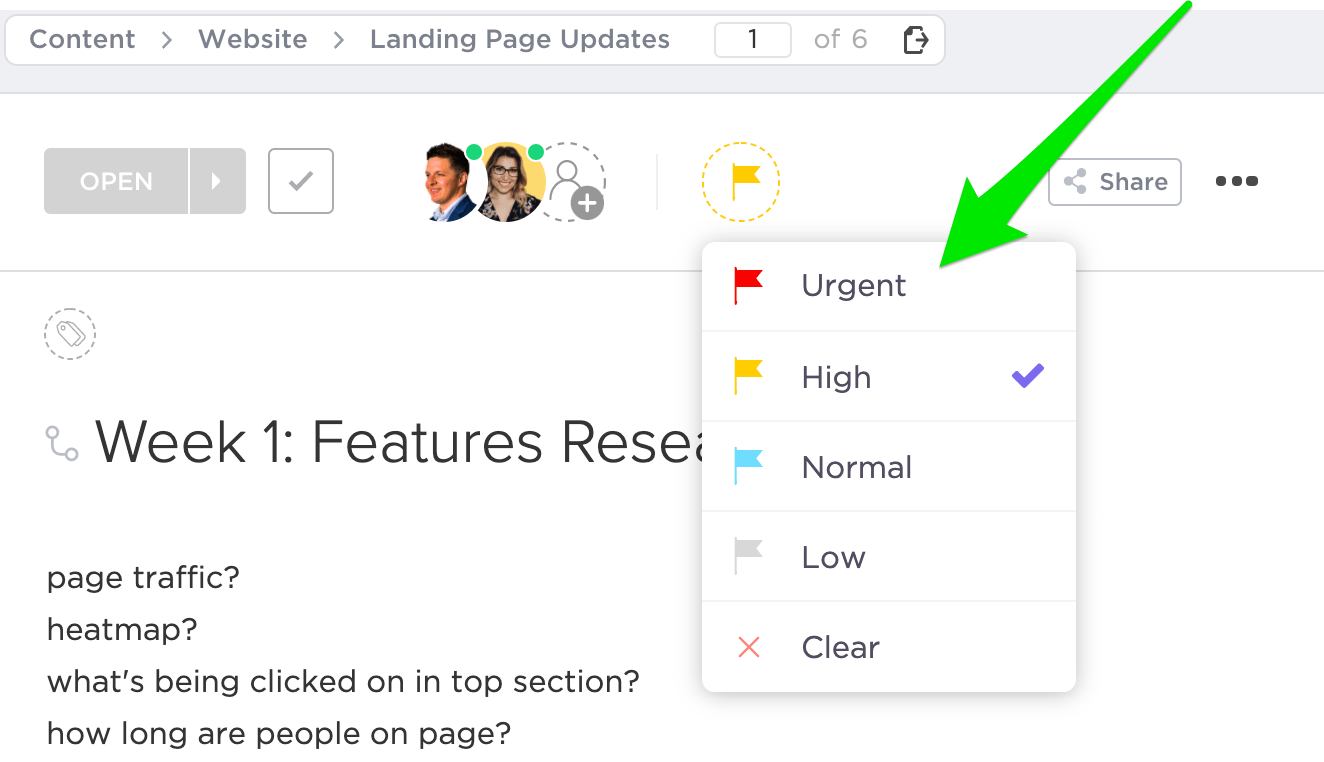
4. Try the Eisenhower Matrix
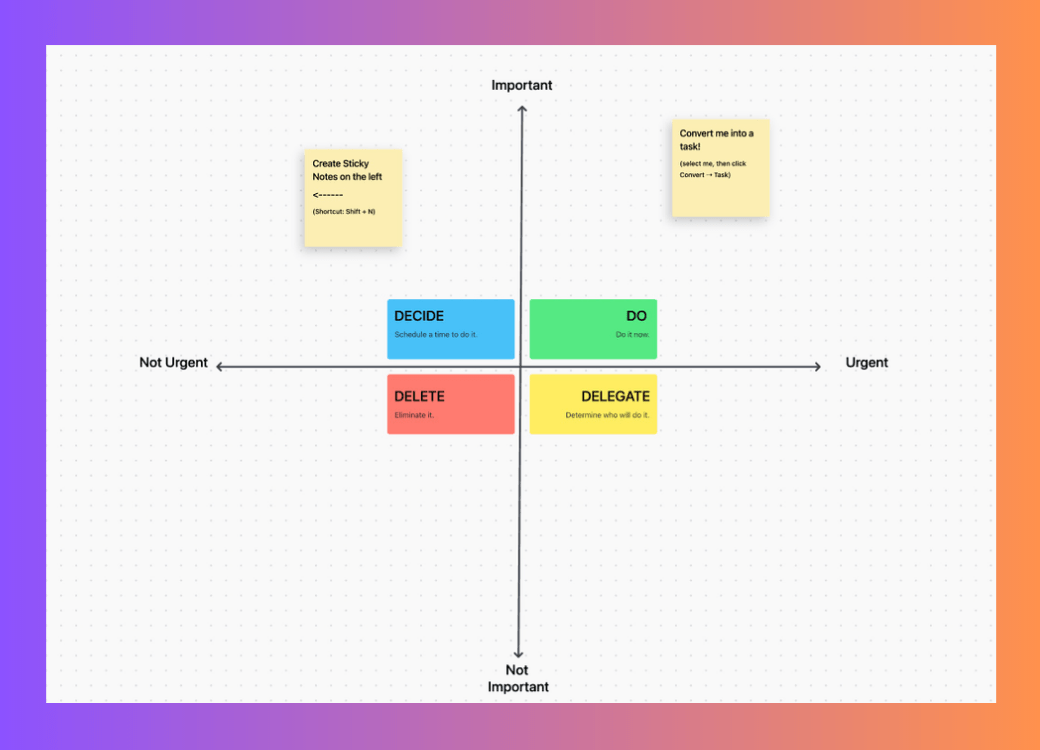
The Eisenhower Matrix was introduced by President Dwight Eisenhower as a way to categorize tasks to understand their importance. It’s still a popular time management technique today, as it helps you visualize what’s most important. This time management approach involves dividing your tasks into these quadrants:- urgent and important
- Not urgent, but important
- Urgent but not important
- Not urgent and not important
5. Try to Get Things Done (GTD)
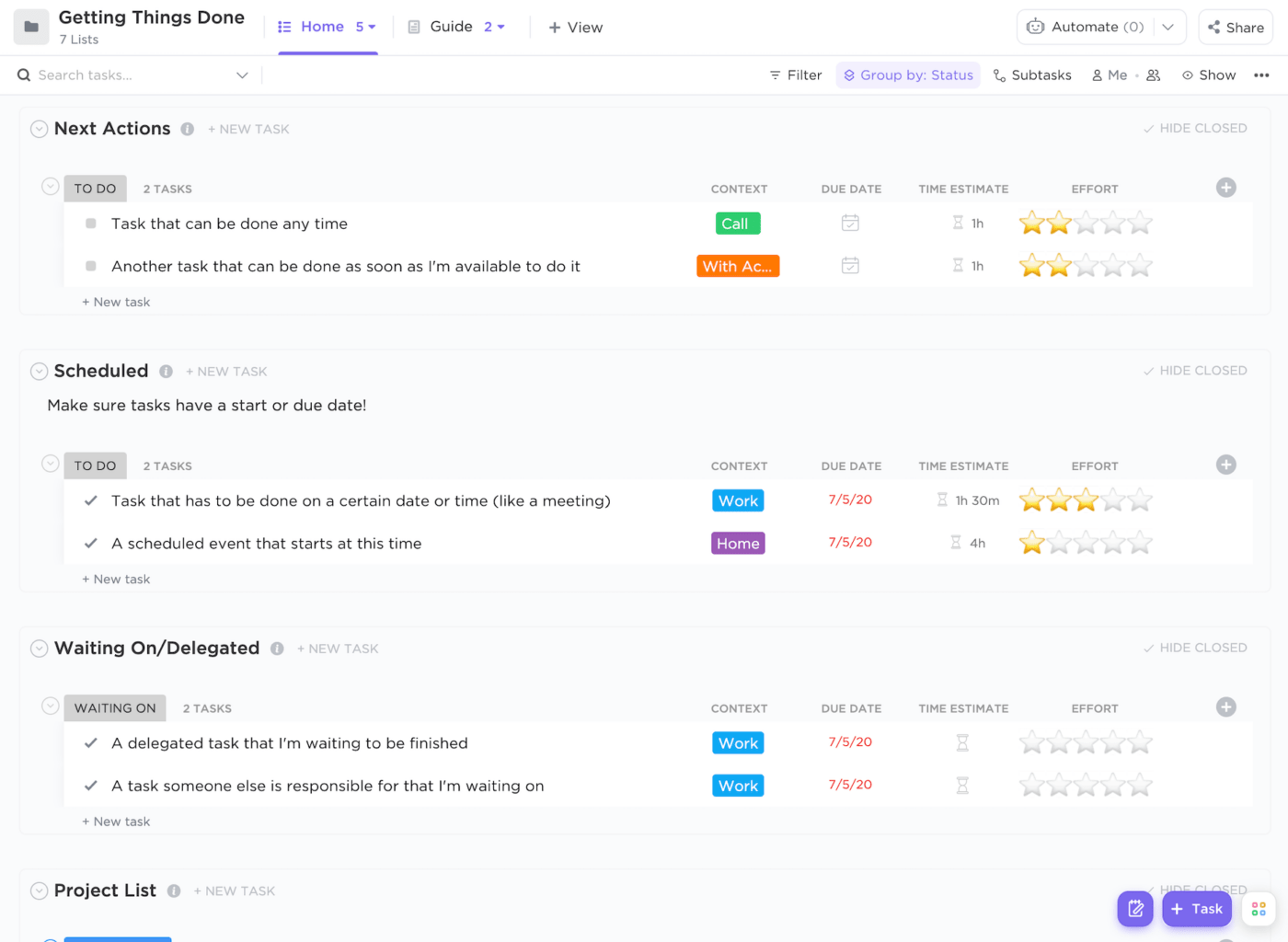
Our minds are constantly busy, which can make it difficult to understand what to do next. David Allen’s popular Getting Things Done (GTD) method helps you process your goals and tasks so you can discover an actionable path forward. The GTD process happens in five steps:- Capture ideas and tasks
- Clarify and process whether they are actionable
- Organize into actionable and non-actionable and group by task
- Reflect to ensure your list is still relevant
- Engage with your task list and get things done
6. Use a Kanban board
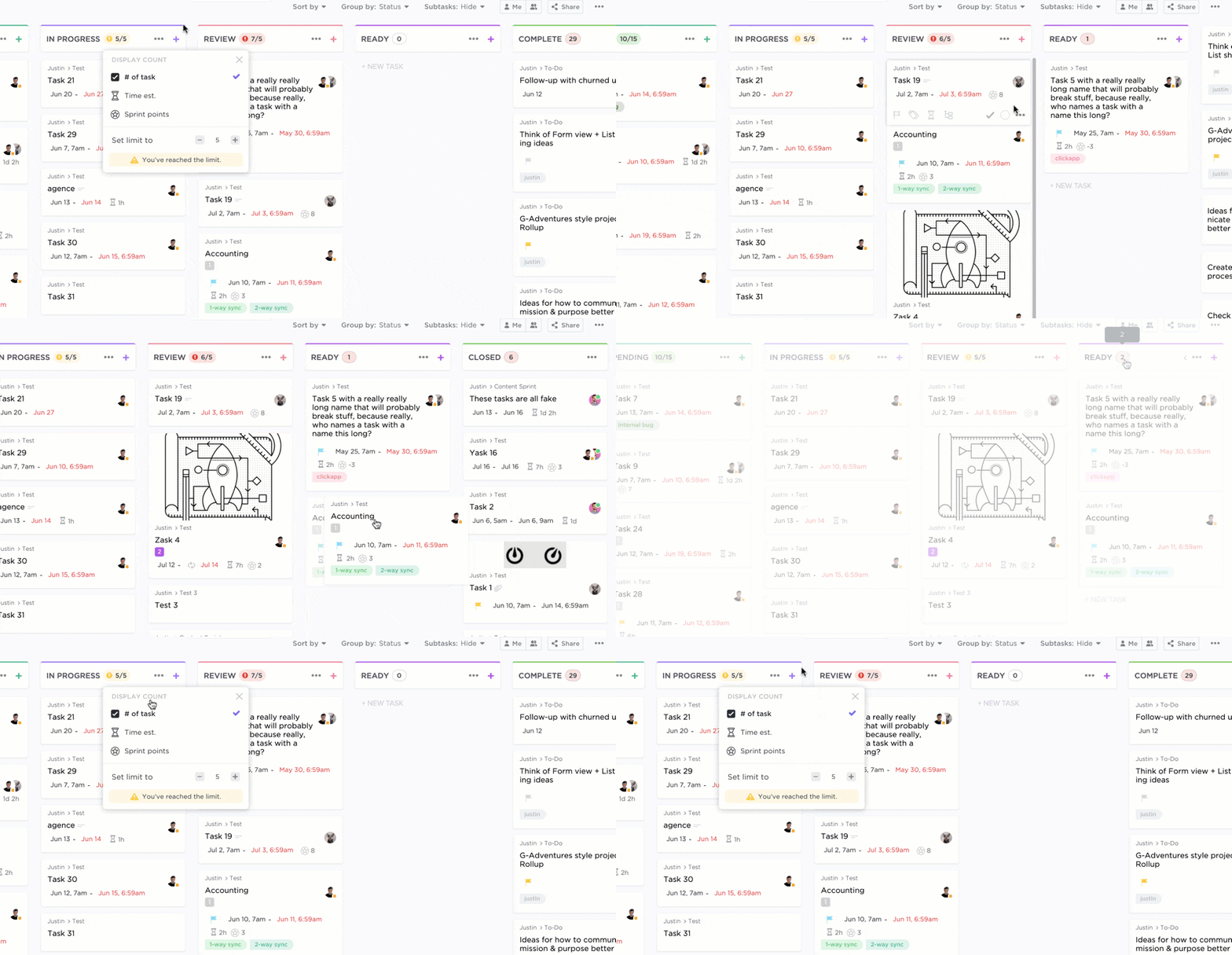
To be truly effective at managing projects, you need to know exactly what stage your tasks are at. That’s where the Kanban approach comes in. With a Kanban board, you can visualize where your projects and tasks are in the process so you can proactively deal with obstacles and challenges. 🤩 A Kanban board has different columns related to the project status, such as:- Not started
- Started
- In progress
- In review
- Prepare
7. Track your time
You may think you’re super productive or know you’re falling behind, but the only way to truly measure that is to track your time. Tracking your time provides valuable data that you can use to change the way you work for the better. Throughout the day you are working on important tasks, but small tasks and distractions also appear. Tracking your time helps you see how much time you spend checking social media, responding to emails, helping coworkers, and all the other tasks you might not get done. 📚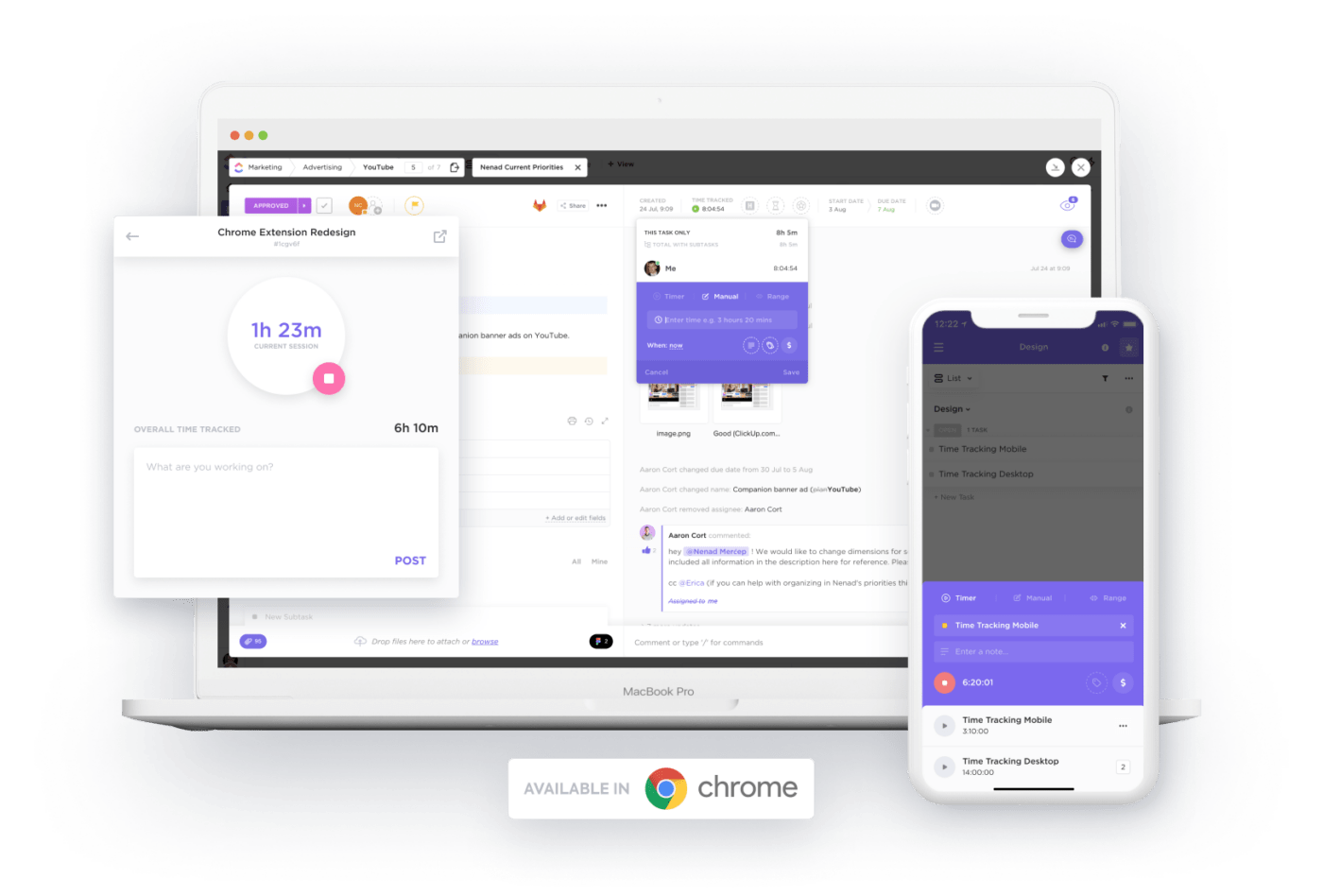
8. Apply the Pareto principle
There is a popular rule that says that 80% of your results come from 20% of your efforts. This is known as Pareto analysis or the Pareto principle, and it’s another way to approach your time management habits. Understanding that only a small minority of your work moves you forward encourages you to identify those game-changing tasks. When you find them, you know to go all in and put your focus on these tasks to get the best results. Time management tips like the Pareto principle help you stay focused and avoid distractions from busy work. 👀
9. Limit context switching
While some people claim to be great at multitasking, you generally need periods of deep focus to achieve your goals. Context switching, where you jump from one task to another, presents moments of procrastination and low productivity. For some people, this happens more often than not, so productivity hacks that help limit context switching become invaluable. Find ways to stay in the zone and limit context switching.
10. Learn to say no
This is not just a time management technique for work, but it applies to your entire life. Learn to say no so you don’t end up overwhelmed and unable to get anything done. There’s always more work to do, and there’s always a coworker who needs your help for just five minutes. There are always more meetings, more projects, and more work-related opportunities. Learn to say no, protect your time and dedicate your energy to the tasks that matter most. 🙌 It’s not always easy to say no, especially to your manager or someone you want to help but don’t have time for. Try saying, “I’d love to help, but I can’t until date Try inbox zero These responses reinforce the value of your time and give the tasker the opportunity to re-prioritize their own to-do list.11. Try inbox zero
Some people use their inbox as a to-do list. While this works sometimes, for other people, the inbox can be a source of dread. Competing requests for information, endless distractions, and conversations that simply don’t need your attention. To help combat procrastination, try inbox zero.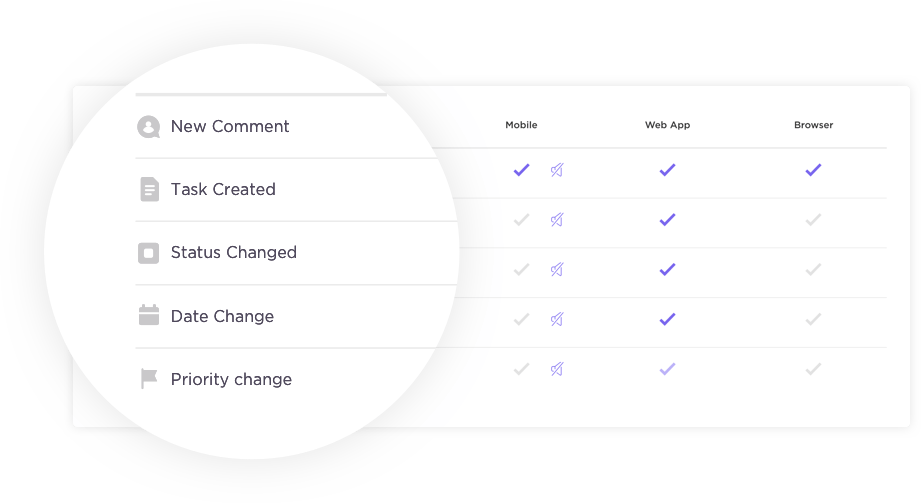
12. Use the Pomodoro Technique
The Pomodoro Technique, created by Francesco Cirillo, remains one of the most popular ways to get things done and stay productive. This time management tool involves working in focused blocks of time and then taking breaks before returning to what you were working on. This time management technique promotes the need for breaks and rest between tasks and can help avoid procrastination.13. Use the Rapid Planning Method
For people who want to step out of their comfort zone and consider a more comprehensive approach to time management, Tony Robbins’ Rapid Planning Method (RPM) is worth considering Tony Robbins’ Rapid Planning Method (RPM). This approach encourages you to explore your desires, purposes and requirements, so that you can act to make it happen. RPM stands for:- Results-oriented
- Purposeful
- Massive action plan
14. Try task grouping
If you work on a lot of small tasks, task grouping can revolutionize your productivity and help you get more done. Task grouping involves grouping similar tasks together and then working on them all at once. ⚒️
15. Use artificial intelligence (AI)
There are hundreds of AI applications emerging every day. While this can be overwhelming, it also presents an interesting opportunity – what can you automate, speed up, or improve with the help of artificial intelligence? There are AI-powered apps that help you generate images, write content, summarize video calls, and more. While no AI is perfect yet, these apps go a long way toward removing tasks from your to-do list. With these smaller tasks off your list, you’re free to focus on the areas that make the most impact.
Set yourself up for success with these time management tips
Changing the way you think and use time doesn’t happen in an instant. Take some time to consider these time management techniques, figure out which ones are likely to work for you, and give them a try. You won’t find the right approach right away, but you’ll always learn something new about yourself. If you’re ready to turn your new time management habits into a trend toward being more productive, try ClickUp for free . ClickUp isn’t just a place to track your time or signal the priority of your goals – it’s the ultimate productivity hub. Manage your work, collaborate with team members, and adopt a more organized approach to work.Explore more
Everything TaskUP does with ClickUp, in English.