

A brilliant idea pops into your mind, but you don’t know how to bring it to life. After all, there’s only so much you can remember or scribble on a piece of paper!
Have you ever tried using mind mapping software? You can implement mind mapping technique and brainstorm, gain insights and visualize your idea with unlimited mind maps.
In this article, we will cover what makes a great mind mapping tool and highlight the top 10 mind mapping software to help you choose the right one.
Let’s get started!
What is mind mapping software?
Mind mapping software is a tool that allows users to visually organize and structure information, thoughts, and ideas. It creates a visual representation of information in the form of a diagram or map, connecting related ideas and concepts. This type of software helps you improve brainstorming, note taking, project planning, and problem solving by providing a clear and concise way to connect information and ideas.
Most mind mapping tools come in different sizes to meet different needs while offering other functionality.
Generally, the average mind map maker falls into one (or more) of these categories:
- Diagramming: a technical diagram, such as engineering flowcharts, architectural blueprints, network diagrams, etc.
- Brainstorming: problem-solving sessions to organize and present an idea visually
- Business Intelligence: View data as graphs by importing it from business applications
- Software Development Project Management : Prepare map diagrams website, software wireframes, etc.
Our curated list of the best mind mapping software includes a combination of these tools to help you determine the one that best suits your needs. What is a mind map?of these tools to help you determine the one that best suits your needs.
If you are interested in mind maps, check out our articles:
- What is a mind map?
- List of 20 mind map examples
10 Best Mind Mapping Software
Here’s a closer look at the best mind mapping tools available today:
1. ClickUp
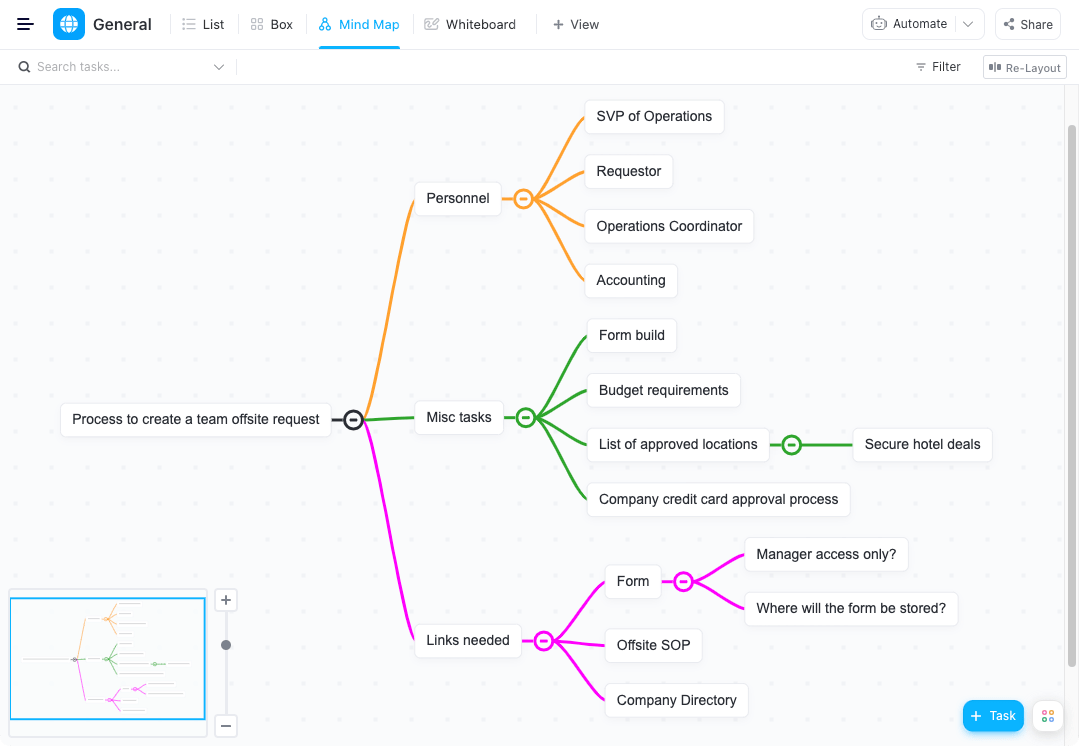
ClickUp is one of the top-rated mind mapping and productivity tools used by productive teams in small and large businesses.
From helping you from overcoming virtual team challenges to monitoring in-house or remote team performance, ClickUp is the ultimate tool for remote project management.
But wait… how will project management software help me draw a mind map?
ClickUp offers hundreds of customizable features to help teams across industries improve their workflow from the beginning until project closure. In fact, ClickUp has not one, but two powerful and functional tools for mind mapping: Mind Maps and Whiteboards .
You can not only create custom mind maps, but also store them and connect them to your tasks in ClickUp, keeping all your work organized, accessible, and all in the same place.
Here, take a deeper look at what makes ClickUp Mind Maps and Whiteboards the best mind mapping tools.
What is ClickUp’s Mind Maps feature?
ClickUp Mind Maps is a visual collaboration tool that helps individuals and teams create free-form mind maps for any need. They are perfect and useful for brainstorming sessions, outlining complex workflows or topics, organizing your thoughts, connecting tasks, and more.
What makes it one of the best mind mapping software is that it is powerful yet flexible, allowing you to organize information in a hierarchical manner to help you visualize and analyze a core concept in detail. Map the concept by branching it into several sub-ideas; Just add more branches as you go to let your ideas run wild and free.
Plus, mind maps in ClickUp are easy to use. Drag and drop functionality enhances the user experience by simplifying the creation and editing process – just click and drag.
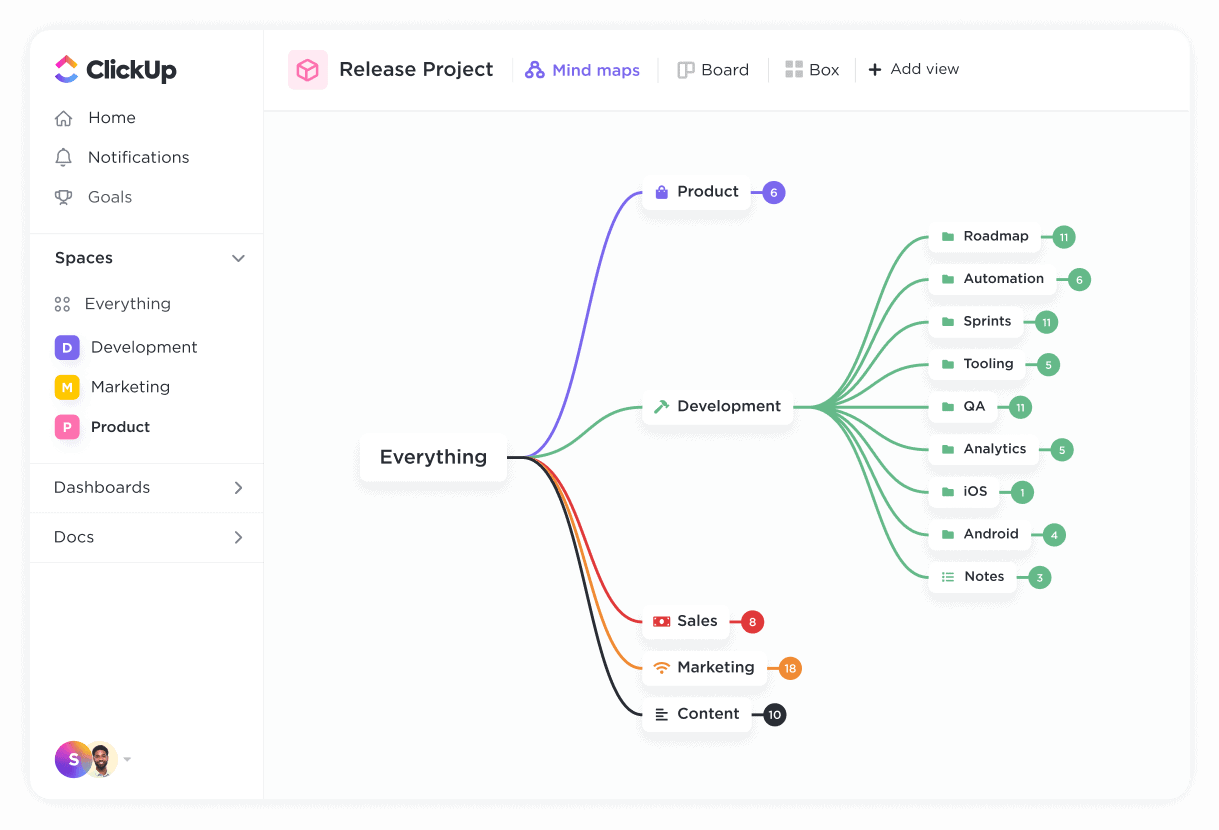
You can choose to start from scratch or use ClickUp’s simple mind map template to help you get started.
Try ClickUp’s Simple Mind Mapping Template
ClickUp Whiteboards
Want to take your mind mapping to the next level? Well, you can with ClickUp Whiteboards.
Just like ClickUp mind maps, Whiteboards provides teams with an online canvas that can be used for brainstorming, business strategy planning, workflow mapping, roadmap development, note-taking, software product development, and more. It also allows you to drag and drop objects onto the whiteboard, making it very convenient and easy to use for your mind mapping needs.
Whiteboards are especially useful for remote team collaboration. Teams can simultaneously on the same whiteboard at any time, collaborate on concept maps and connect their work in an easy-to-follow way, while giving them complete freedom to be creative in how they organize and visually present their work.
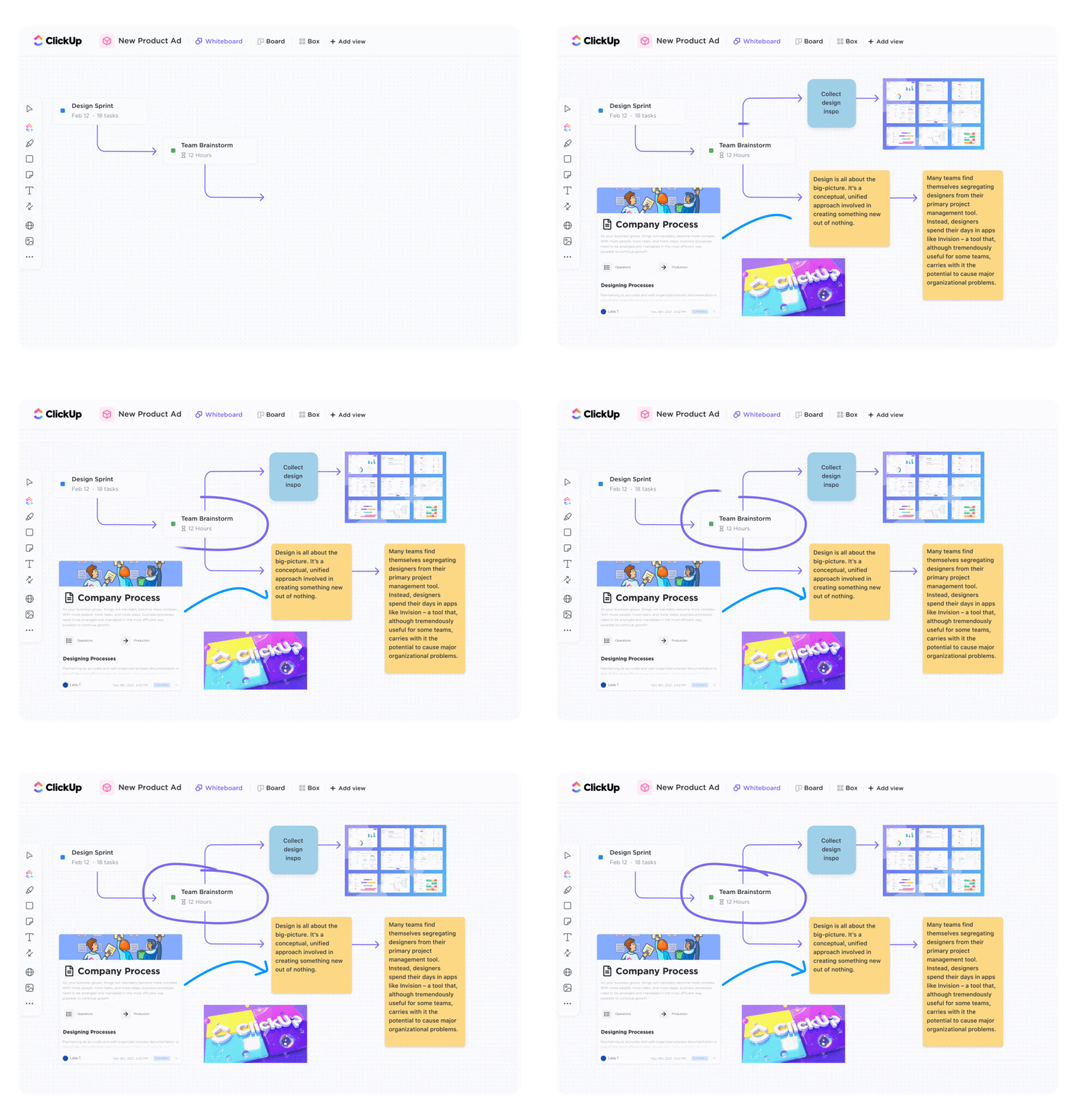
One of the main differences between ClickUp mind maps and your whiteboards is the ability to add objects to your canvas, allowing you to add shapes, sticky notes, and text that can be converted into a task. You also have the option to draw freely, upload an image file, and even copy and paste objects to create your ideal mind map that is more visually appealing and detailed.
If you’re new to ClickUp Whiteboards, you can start creating your mind map from a blank canvas or use the ClickUp Whiteboards Getting Started Template to help you get started!
ClickUp Limitations
- No table views in the mobile app (yet)
Don’t worry! At ClickUp, we are constantly brainstorming ideas to update our platform.
ClickUp Pricing
ClickUp offers a free plan forever. Their paid plan starts at $7/user per month.
What people think about mind mapping in ClickUp:
“I like the different ways I can view my project and related tasks. I can mind map my project, see it as a list, on a Kanban board, as a Gantt chart, or even in a table view. The app works with all the different ways I like to think and plan my projects and tasks, giving me the freedom to plan in a way that works for me.” –G2CrowdClickUp review on G2
“I didn’t realize how much I would benefit from the different visual representations, specifically the mind map that ClickUp offers.” –G2CrowdClickUp testimonial on G2
ClickUp customer reviews
- G2: 4.7/5 (over 3,320 reviews)
- Capterra: 4.7/5 (2,270+ reviews)
2. XMind

XMindis a simple mind mapping software that helps you generate ideas, goals, and tasks.
Although this mind mapping software looks like a psychic mutant from theX-Menseries, XMind is not that extraordinary.
XMind Key Features
- Zen mode helps you focus on a single mind map
- Equation feature allows you to add mathematical and chemical equations
- Brainstorming templates available for various needs
- Multi-branch colors to identify different nodes
Pros of XMind
- Protect your mind map files with passwords
- Export the mind map as PNG, PDF or markdown
- Mobile app for iOS and Android devices available
XMind Limitations
- Large mind maps can take a long time to load properly
- No free plan available
- Not suitable for agile or scrum teams as XMind lacks project management features
XMind Pricing
The pricing plan for this mapping software starts at $39.99 for six months.
What people think about mind mapping in XMind:
“Some of the most important features, such as sharing the mind map with others over the Internet, are not available in the free version. This is a bit disappointing, although understandable. The company wants to motivate you to purchase the full software.” –Capterra Verified Review
“Very easy to learn and teach others. Has all the basic functionality of a mind mapping tool.” –Capterra Verified Review
XMind Customer Reviews
- G2: 4.3/5 (30+ reviews)
- Capterra: 4.5/5 (70+ reviews)
3. ConceptDraw MINDMAP

ConceptDraw MINDMAPis an idea management and diagramming tool that can help organize your free-running ideas.
But at its core, this basic mind mapping tool is just Microsoft Office Word with extra functionality.
You don’t need X-ray vision to see this!
Key Features of ConceptDraw MINDMAP
- Brainstorm mode with a built-in timer to help you focus
- Hypernote feature to add multiple hyperlinks and notes to a single map
- MINDMAP editing tools help you create presentations easily
- Graphic functionality allows you to insert images and icons into your mind maps
ConceptDraw MINDMAP Pros
- Supports 20+ mapping themes to help you quickly create a mind map template
- Can add attachments to a mind map
- Can transfer mind map data with MS Office and other mind map software
Limitations of ConceptDraw MINDMAP
- Expensive pricing plan
- Outdated interface that resembles MS Word
- No support for mobile devices
ConceptDraw MINDMAP Pricing
The pricing plan for this mapping software starts at $199 for a single-user license.
What people think about mind mapping in ConceptDraw MINDMAP:
“Great to use when I’m starting a project. A great way to get all the disorganized thoughts out of my head and into an organized form.” –Capterra Verified Review
“I have used several MindMapping programs and this is one of the best. As with the rest, my main criticism is that it is a little more time consuming to use an electronic system, however, the advantage is that it is not limited to the dimensions of a piece of paper. Depending on the nature of your project, the better option between the two is readily apparent.” –Capterra Verified Review
ConceptDraw MINDMAP Customer Reviews
- G2: 3.4/5 (10+ reviews)
- Capterra: 4.9/5 (10+ reviews)
4. Mind Manager

MindManageris a mind mapping application best suited for extensive brainstorming sessions. Its drag and drop functionality allows you to create a central idea and easily draw new related ideas.
However, it is challenging to demonstrate hierarchies with this mapping software.
MindManager Key Features
- Start a diagram from scratch or choose from over 25 built-in templates
- Gantt chart functionality to map project timelines
- MAP 3 add-in lets you use algebraic calculations and other functions
- Co-editing feature for real-time collaboration
MindManager Pros
- Easy integration with step-by-step tutorials step
- Allows you to create an organization chart, flowchart and concept map
- Supports keyboard shortcuts to quickly create mind maps
Limitations of MindManager
- No free plan available
- Limited Gantt Chart Functionality
- Limited selection of images and icons to choose from
MindManager Pricing
The pricing plan for this mapping tool starts at $99/year.
What people think about mind mapping in MindManager:
“I don’t think I’ve used it enough to discover any specific problems. The only problem I’ve had is learning how to use it quickly enough and this was helped by the tutorials that can be accessed within MindManager itself.” –Capterra Verified Review
“It has helped me organize, brainstorm, and be present in my business for many years. It is solid and reliable.” –Capterra Verified Review
MindManager Customer Reviews
- G2: 4.5/5 (60+ reviews)
- Capterra: 4.6/5 (60+ reviews)
5. Edraw Mind Map
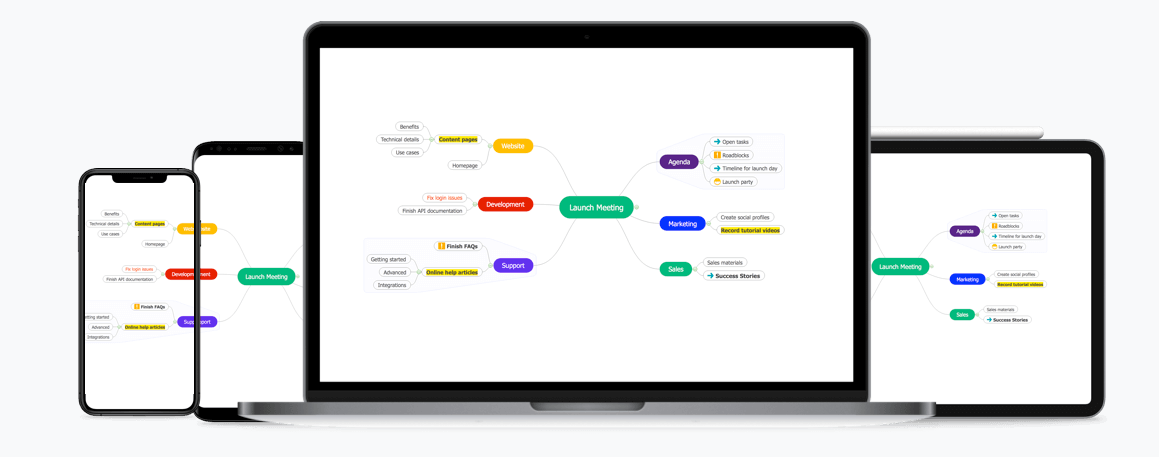
Edraw Mind Map(formerly known as MindMaster) is a collaborative mind mapping tool that helps give your ideas the structure they need.
But will this free mind mapping software help you become a mind master like Jean Gray fromX-Men ?
Let’s take a look…
Main Features of Edraw Mind Map
- Brainstorming mode for a hands-on brainstorming session
- 12 different mind map layouts such as radial, treemap, andfishbone diagrams
- Gantt chart functionality helps you create a mind map
- Presentation mode lets you show your mind map as a slideshow
Pros of Edraw mind map
- Supports different node formats and connection styles
- Export mind maps as JPG, PNG and PDF files
- Available as a mobile app for Android and iOS devices
Edraw mind map limitations
- Gantt chart mode available in pro version only
- Limited flexibility with mapping layouts as everything is based on a template
- Can only import files from XMind, MindManager and Edraw Max
Edraw mind map pricing
This mind mapping software offers a free version with limited features. The paid plan starts at $4.92/user month.
What people think about mind mapping in Edraw Mind Map:
“There’s nothing I don’t like about this software. It would be great if it was possible to import more file formats from other mind mapping software packages, but that’s a minor feature.” – Capterra Verified Review
“Not much to say about the cons of this software. I would like to see a feature to export diagrams to XMind and Freemind as some colleagues use these tools. It would be nice to import images directly from the web as well.” –Capterra Verified Review
Edraw Mind Map Customer Reviews
- G2: 4/5 (5+ reviews)
- Capterra: 4.5/5 (40+ reviews)
6. Miro
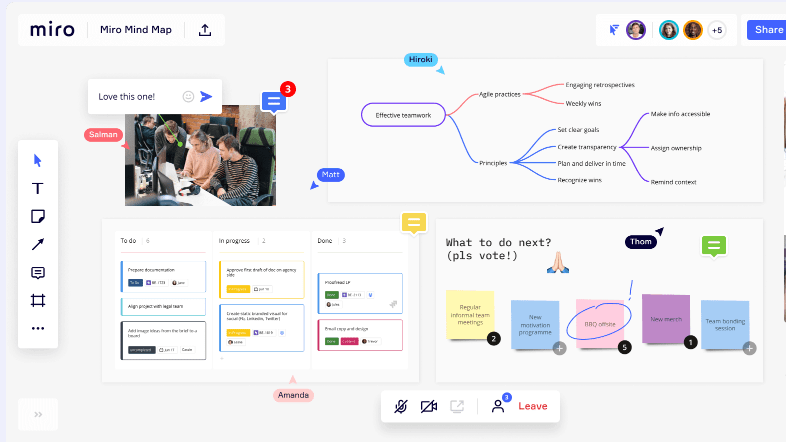
Mirois free, intuitive mind mapping software with collaboration features. It allows distributed teams to brainstorm, map ideas, co-create org charts, and more.
Is Miro a mind-mapping superhero? Probably not.
Performing simple tasks like deleting unused cards is difficult in this mapping software.
Miro Key Features
- Supports multiple design styles
- Integrated video and chat with @mentions
- Mind map templates pre-built
- Presentation mode to show your map as slides
Pros of Mirô
- Offers an infinite whiteboard for brainstorming and creating powerful free-form diagrams
- Easily integrates with other tools like Jira, Asana, and Slack
- Embed documents, spreadsheets, and PDFs into mind maps
Miro Limitations
- Board owners cannot grant editing access to guests
- Presentation mode offers limited design and transition features
- Paid plans are expensive
Miró Pricing
Miro offers a free plan. Their paid plans start at $10/user per month.
What people think about mind mapping in Miro:
“I really love the new Smart Meetings functionality in Miro. But because it’s fairly new, it’s missing some features and others aren’t yet as polished as the rest of Miro.” –Capterra Verified Review
“The only downside I see is that sometimes uploading media like videos can take longer to update. Also, the price per license is a bit high for a small business that wants to use it, but the free basic version is quite complete.” –Capterra Verified Review
Miro Customer Reviews
- G2: 4.8/5 (2,060+ reviews)
- Capterra: 4.7/5 (490+ reviews)
Bonus:compare Miro with Mural!
7. MindMeister

MindMeister is a popular web-based mind mapping software that allows you to collaborate in real time to brainstorm ideas, plan projects, take notes, and more.
But it can be inconvenient to connect different ideas using this tool.
Key Features of MindMeister
- Full-screen presentation mode to display mind maps as a slideshow
- History mode to see how your map has evolved
- Various themes with colors, styles and formatting options
- Comments and voting features for team collaboration
MindMeister Pros
- Add notes, links, icons, images, or videos to mind maps
- Export maps mind maps in PNG, PDF or Word formats
- Integrate mind maps into project management with MeisterTask
MindMeister limitations
- Free plan offers limited features
- Cannot create mind maps free flow
- Formatting is lost when you undo a move
MindMeister Pricing
This mind mapping app offers a free basic plan. Paid plans start at $2.49/user per month.
What people think about mind mapping on MindMeister:
“Mindmeister has been very helpful in planning the story and music, mapping out the recording process, keeping track of characters, locations, objects and their relationships. It’s been a lovely experience.” –Capterra Verified Review
“User experience on touchscreen devices is a bit iffy. Great for desktop use, but a bit cumbersome to navigate and edit on mobile. Could this require an entirely different interface? Perhaps the workflow would be better optimized for using Mindmeister on desktop and MeisterTasks on mobile, but there is great opportunity for exploration for tablet and iPad users.” –Capterra Verified Review
MindMeister Customer Reviews
- G2: 4.4/5 (10+ reviews)
- Capterra: 4.7/5 (190+ reviews)
8. Gear
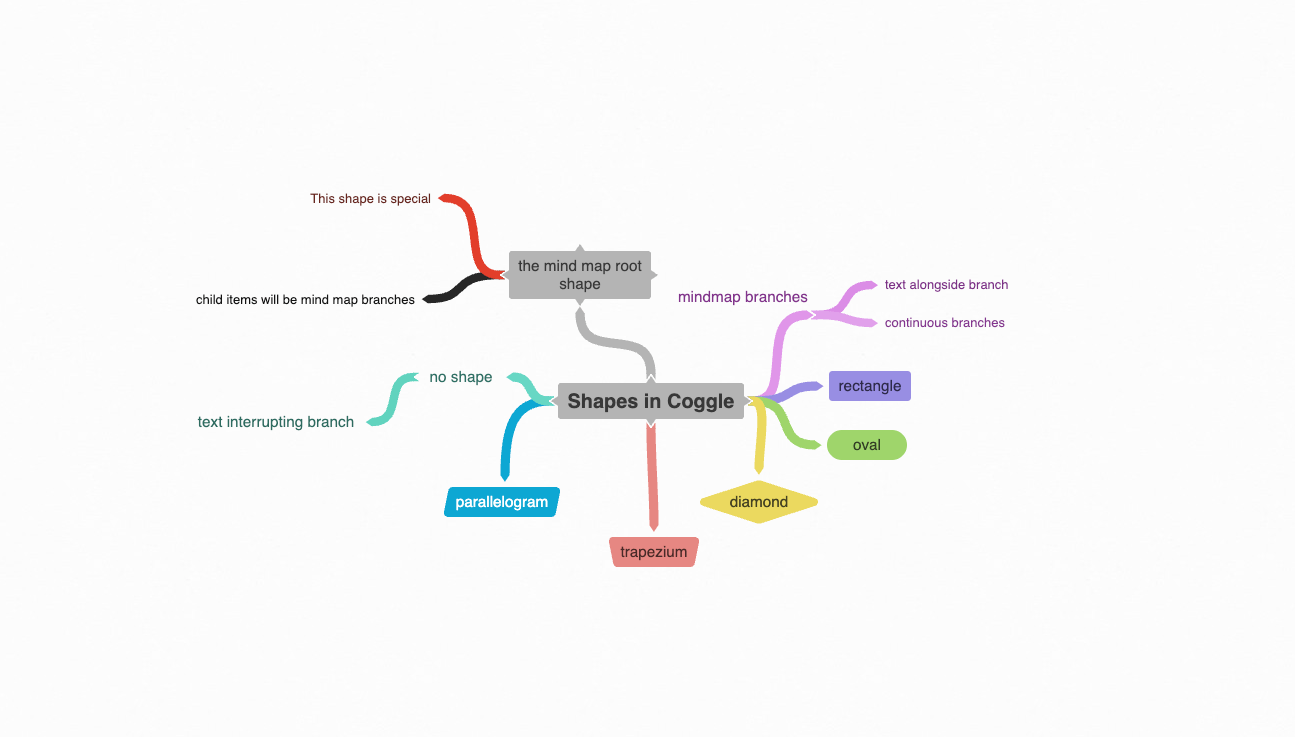
Coggleis an online tool with powerful mind mapping and flowchart features. You can use this mapping application to create processes, systems and algorithms.
But can it work at the speed of light like the Storm?of the X-Men ?
Unfortunately, Coggle can feel clunky or slow when your mind maps get too large.
Coggle main features
- Drag and drop images into mind maps
- Floating text and images to annotate parts of the map
- Joint branches and loops to represent different processes
- Multiple starting points for mapping related topics together
Pros of Coggle
- Saves all changes so you can revert to a previous version at any time
- Supports time collaboration real
- Share mind maps with a link
Coggle limitations
- No whiteboard features
- No dedicated desktop or mobile apps
- No option to automatically organize mind map branches
Coggle Pricing
Coggle also has a free plan. Paid plans start at $5/user per month.
What people think about mind mapping in Coggle:
“Very good program, with room for improvement too. Even with its few flaws, it’s still an important part of the creative planning process for me.” –Capterra Verified Review
“For an easy overview of any complex task, you should create a mind map. I have tried many software and I like Coogle the most. It is an online tool for creating spectacular mind maps. In the free trial version you can try the tool. If you need more extra features, you can get them at an affordable monthly price.” –Capterra Verified Review
Coggle customer ratings
- G2: 4.4/5 (5+ reviews)
- Capterra: 4.6/5 (30+ reviews)
9. Lucidchart

Lucidchart is a diagramming tool for visualizing complex processes, systems, and organizational structures.
However, this mapping tool can be confusing for new users.
Lucidchart key features
- 500+ mind map templates
- Shape library to drag and drop shapes into your maps
- Automated layout to create data-driven diagrams
- Collaboration features like co-authoring, shape-specific comments, and editor chat
- Create UML diagrams
Pros of Lucidchart
- Cloud-based platform accessible from any device
- Integrates with productivity platforms like Google apps & Workspace and Slack
- Import data from other apps like Excel, Zapier, and Salesforce
Limitations of Lucidchart
- Does not work offline
- Basic plan has limited features
- Interface looks outdated
Lucidchart pricing
This mind mapping software has a free plan. Paid ones start at $7.95/user per month.
What people think about mind mapping in Lucidchart:
“Lucidchart is one of the best drawing software on the market today. I’ve been using it for over two years and don’t regret the purchase. I love that it’s so easy to use, even if you’re new to diagramming or visualizing concepts. The only downside is that it lacks more advanced features, like more ways to make more detailed drawings.” –Capterra Verified Review
“Overall, a very good and easy to use business process mapping software for anyone who needs to produce process maps fairly quickly. You can quickly produce process maps with a relatively small learning curve and access your saved diagrams through any browser.” – Capterra Verified Review
Lucidchart customer reviews
- G2: 4.5/5 (670+ reviews)
- Capterra: 4.5/5 (1,200+ reviews)
10. Carefully

Mindlyallows you to create beautiful online mind maps for brainstorming, collecting ideas, project planning, meeting preparation, etc. However, Windows users would absolutely care about Mindly.
However, Windows userswould matterabsolutely with Mindly.
Why? There is no dedicated app or web version for Windows systems!
Key features carefully
- Different color schemes for map elements
- Option to attach notes, images or icons to any element
- Visual clipboard for rearrange your ideas and map content
- Password protect your maps and ideas
Carefully Pros
- Create an infinite hierarchy of elements
- Supports multiple devices
- Export mind maps in PDF, OPML and text formats
Conscious limitations
- Limited integration options
- No task management features
- The free version limits the number of maps and elements you can add
Mindly pricing
Mindly has a free version. The full version costs $6.99 on iOS, $29.99 on the Mac App Store, and $5.49 on Android.
Beware of customer reviews
- G2: N/A
- Capterra: N/A
Mapping Software FAQ mental
What are the benefits of using mind mapping software?
Useful for any brainstorming session, mind mapping apps help you plan and organize ideas for better clarity and understanding. It can also help you easily identify the best idea or solution among all the potentials you have.
So why not use pen and paper? That would be like building a sandcastle on the shore, waiting for the waves to wash it away.
Unless you want to lose your mental map to the ocean of other things you need to remember, using a piece of paper to map it out may not be the best way. If your idea has a lot of moving parts, mapping it out on a piece of paper can make it feel scattered and disconnected.
Plus, using tons of paper to draw concept maps isn’t the best way to combat #climatechange . 🙅♀
A mind mapping app will not only help you map out complex ideas quickly, but you won’t have to worry about losing them.
What makes a good mind mapping tool?
When choosing a great mind mapping tool, here are three key features to look for:
- Ease of use: Using the mapping tool should be as easy as drawing on paper. You shouldn’t have to dig through multiple menus to create a simple mind map
- Large screen: A large digital canvas ensures you never run out of space to draw. After all, you can’t put limits on creativity and ideation 🖌️
- Collaboration : essential for agile teams agile and scrum, real-time collaboration features let you share your mind maps with your entire team. This keeps everyone informed about the project
Which mind mapping software is best for your team?
While you can always draw a mind map on paper, it doesn’t give you the flexibility or the right canvas for your ideas to run wild.
However, with theright mind mapping tools, this isn’tan issue.
With features ranging from real-time collaboration to concept mapping, mind mapping software helps you break down even the most complex ideas.
And while tools like best mind map software on the list.it is indeed the best mind mapping software on the list.
With powerful features for mind mapping, project planning, and even remote team management, ClickUp is the only tool any project manager needs.
Source:
Explore more
Everything TaskUP does with ClickUp, in English.