

WBS10 Tools: Imagine yourself facing a huge and elephantine project. The sheer scale of tasks and subtasks seems insurmountable.
Where do you start?
The answer is simple: Work Breakdown Structure software or WBS software.
If you need help tackling your project deliverables – no matter how intimidating – WBS software lets you you take one bite at a time. Instead of getting overwhelmed by the colossal task, you effectively break it down into smaller, more manageable tasks.
We’ve carefully sifted through the vast jungle and narrowed down the top work breakdown structure software options for project managers and team leaders in 2024. We’ll analyze the key features of each tool and examine the strengths, weaknesses, pricing, and customer reviews.
With the table set, you can strategically choose the perfect tool to take the complexity out of complex workflows and manage your tasks efficiently . Ready to get started? Let’s eat.
WBS10 Tools : What should you look for in WBS software?
Technology has negated the need to create a work breakdown structure in Excel . You need a powerful, flexible, purpose-built tool to visualize your project plan.
Good WBS software should provide project managers with a visual, hierarchical representation of the project scope . It should be easy to use, offer interactive visual tools like a WBS chart or an online Gantt chart, provide resource allocation capabilities, and integrate seamlessly with other business tools.
It should also boast a vast library of work breakdown structure templates, because nothing is worse than staring at a blank page when trying to get started. The best WBS software will balance robust functionality with an intuitive interface and key features you’ll actually use – all at a fair price.
Top 10 WBS Software for Project Management in 2024
Transform your approach to managing project scope, business diagrams, and visual workflows with our top 10 picks for the best work breakdown structure WBS software. Each of these tools is designed to help your team work efficiently, communicate clearly, and be more successful at the end of even the most complex projects.
1. ClickUp
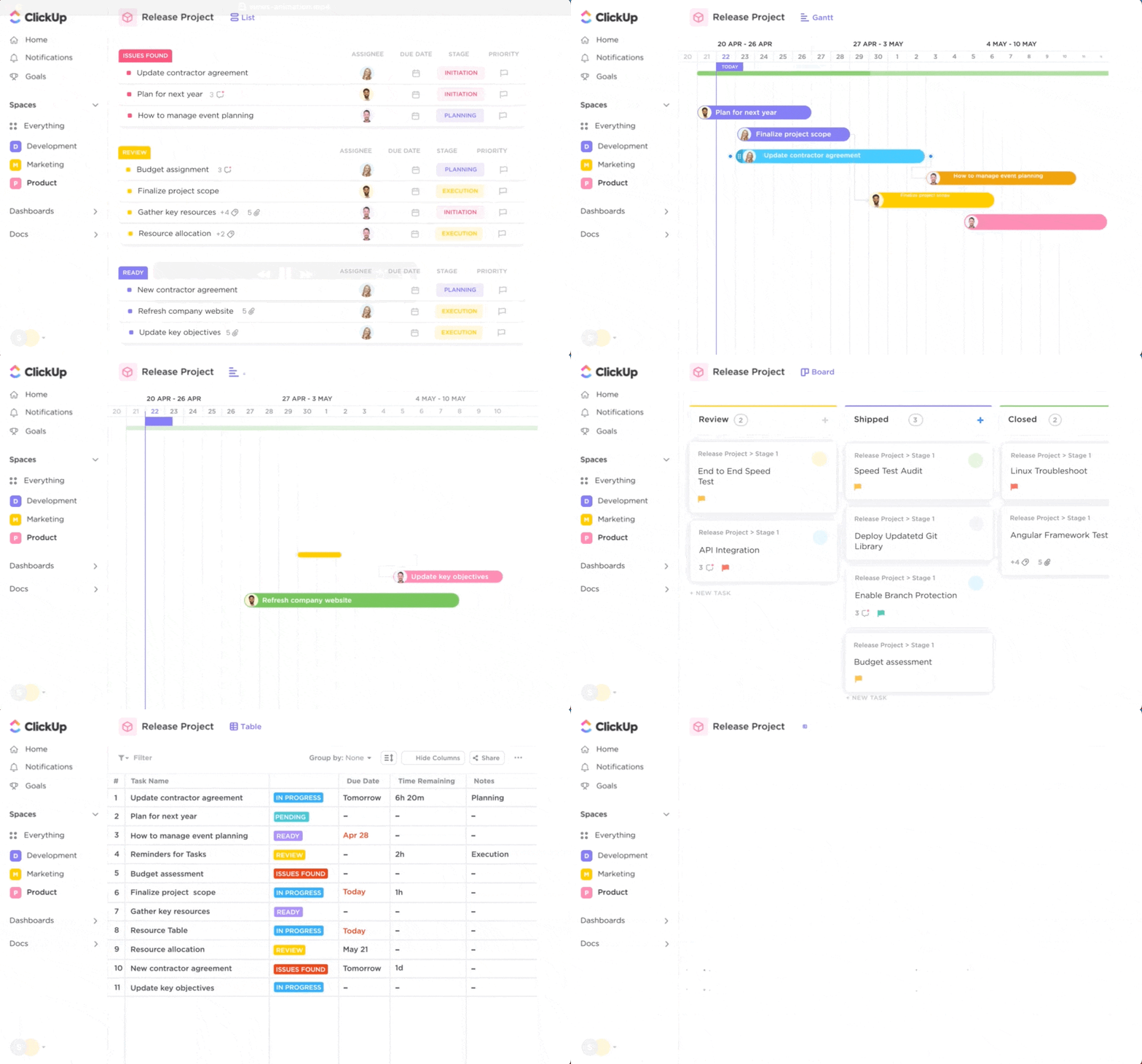
ClickUp is a comprehensive project management platform with 15+ views designed to make ongoing team management easier. It’s a one-stop shop for task and resource management, document sharing, and time tracking, supporting teams in efficiently meeting deadlines and achieving project goals.
Its intuitive, customizable user interface lets you customize dashboards, table views, list views, integrated Gantt chart views, and ClickUp whiteboards to fit your work breakdown structure specific. The platform easily integrates with many popular tools like Google Drive, Slack, and GitHub.
ClickUp’s extensive library of WBS templates and the ability to create hierarchies within tasks make it great for work breakdown structures. With ClickUp Whiteboards, you can quickly get a clear view of project steps and responsibilities. The software also includes key goal-setting and tracking features, helping teams stay aligned with overall project objectives.
Best ClickUp Features
- Find the cost of entire campaigns, billable hours, and more with advanced formulas in ClickUp custom fields
- Keep an eye on the destination with the help of product roadmaps to build a WBS chart
- Once you divide your huge project into manageable chunks within your work breakdown structure, define Recurring Tasks and automatically add them to the team calendar
- Track your project budget, manage deadlines and anticipate bottlenecks with a Gantt chart visualization
- Make sure your team isn’t overwhelmed with Box views to monitor work and resource capacity
- Templates: Try the ClickUp work breakdown structure template for your team

ClickUp Limitations
- A variety of work breakdown structure features can sometimes seem overwhelming to new users
- Some desktop features are not available in the app mobile
- Dedicated analytics tools may feature more reporting features than those found in ClickUp
ClickUp Pricing
ClickUp offersvariousPricing plans for each team:
- Free forever
- Unlimited:$7/month per user
- Business:$12/month per user
- Business:contact for pricing
Ratings & Reviews ClickUp
- G2:4.7/5 (6,790+ reviews)
- Capterra:4.7/5 (3,670+ assessments)
2. EdrawMax
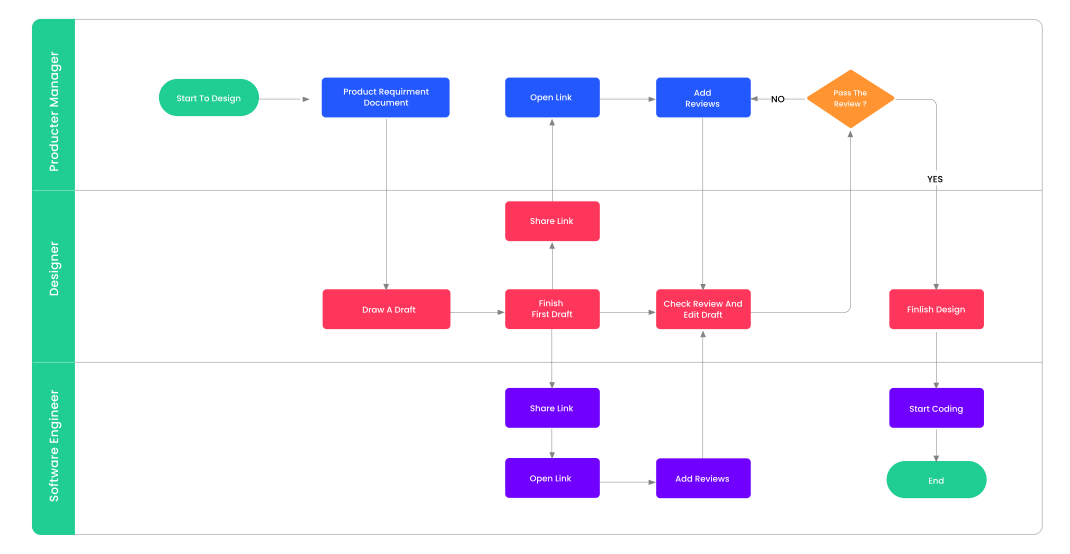
EdrawMax is a versatile diagramming software tool that simplifies the creation of complex diagrams with its extensive library of templates and shapes.
Its intuitive interface and easy-to-use features are beneficial for creating a work breakdown structure. The platform supports various types of WBS diagrams, including flowcharts, network charts, diagrams, org charts, floor plans, and more.
Best Features of EdrawMax
- Choose from 20+ themes and hundreds of templates, or check out the EdrawMax template to inspire the appropriate work breakdown structure for your next project
- Try EdrawMax’s huge library of symbols and shapes or create your own with the built-in vector format panel
- EdrawMax works directly from your browser so you can work with your team from anywhere – no download required
- Export your WBS diagram to HTML, graphics, Microsoft and Visio package tools. You can even share your diagrams on social media
Limitations of EdrawMax
- EdrawMax lacks advanced task management features
- This is complicated project management software , so it may require training for a project manager unfamiliar with structure diagrams job analytics WBS software
- Some people have reported delays in customer support
- No free WBS software option
EdrawMax Pricing
- Subscription:$99/year
- Lifetime: $ 198
EdrawMax Reviews and Ratings
- G2:4.3/5 (60+ reviews)
- Capterra:4.6/5 (190+ reviews)
3. SmartDraw
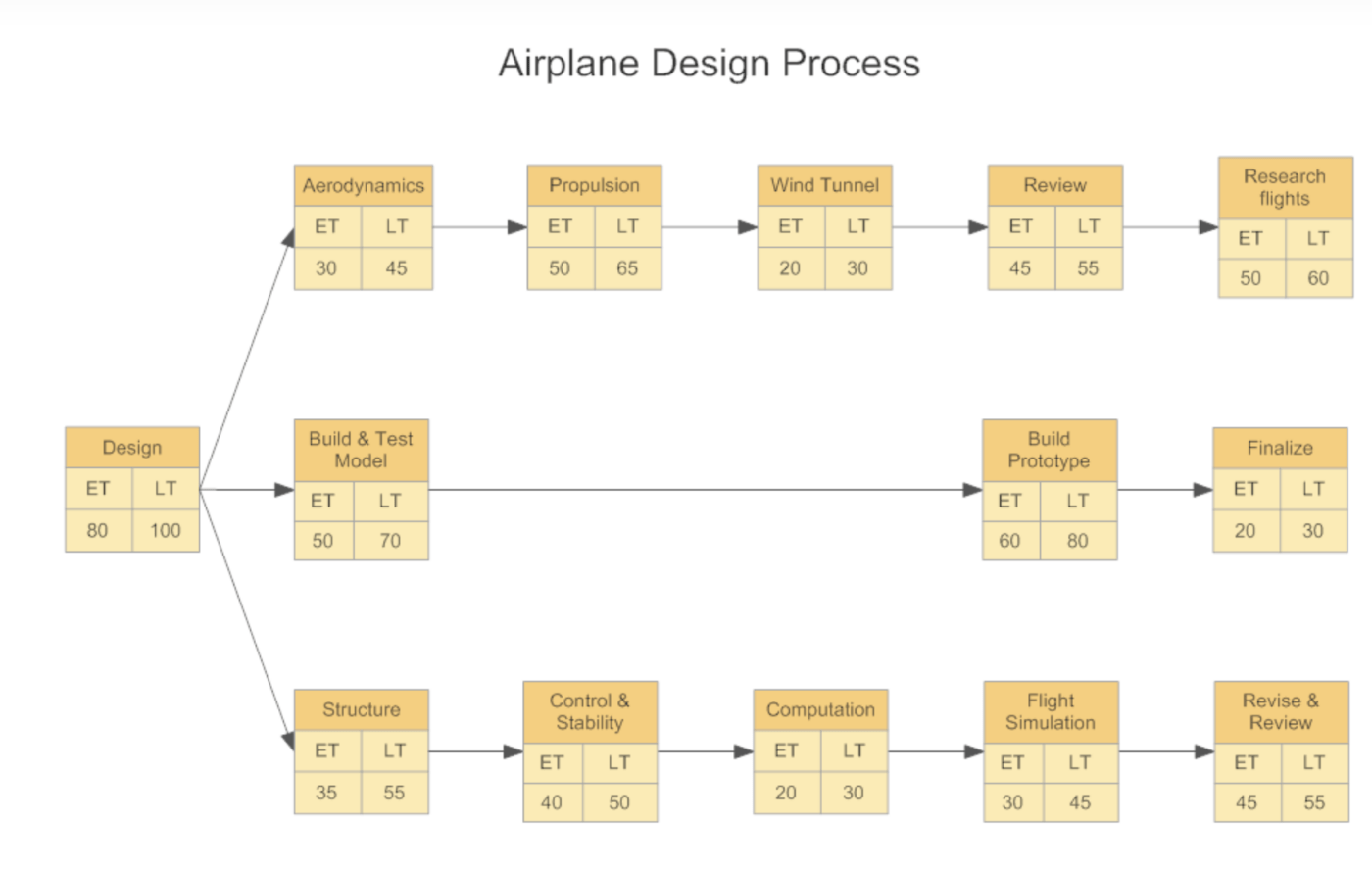
SmartDraw is a robust work breakdown structure software that offers desktop and online versions. It provides multiple templates for your work breakdown structure, ranging from a flowchart or org chart to a Gantt chart or mind map.
Its automated drawing and formatting features significantly ease the process of planning work breakdown structures, so you can build your WBS chart efficiently.
Best features of SmartDraw
- Add WBS diagrams to products from Microsoft (MS Excel), Google, Atlassian and more
- SmartDraw’s AutoCAD annotation layer is designed specifically for engineers and architects
- Start with thousands of symbols and ideas with its library of templates
- Create diagrams from existing data without having to draw anything
- Share diagrams with Dropbox, Box, GoogleDrive, or OneDrive
SmartDraw Limitations
- Poor user interface leads to a lot of switching between tabs to complete tasks
- Finding the appropriate symbols and shapes for your WBS software’s breakdown structure requires a lot of research
- Some of the “smart” features override you when you make a design decision unexpected
- Multiple people cannot work on the same design at the same time
SmartDraw Pricing
SmartDraw hasthreepricing plans.
- Individual:$9.95/month per user
- Team:$ 8.25/month per user
- Location:$2,995/year
SmartDraw Ratings and Reviews
- G2:4.6/5 (200+ reviews)
- Capterra:4.1/5 (110+ reviews)
4. Matchware
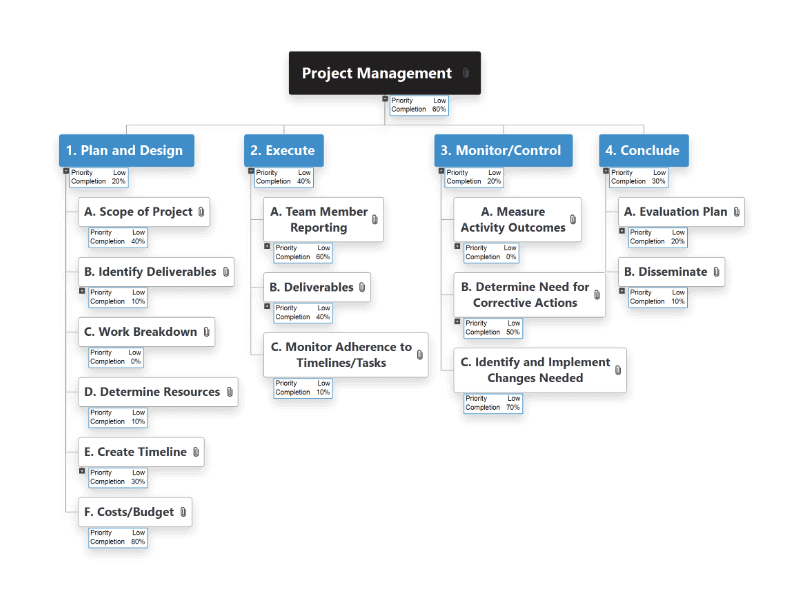
Matchware is a leading provider of professional mind mapping software, primarily MindView. It is recognized for its integration with MS Office, collaborative features, and the ability to create a Gantt chart from a mind map, making it suitable for planning a work breakdown structure. 100%
Best Features of Matchware
- Drag and drop functionality makes it easy to organize deliverables, work packages and rules 100%
- Add project controls and team tasks directly to the work breakdown structure layout
- Choose from six layouts, including work breakdown structure, integrated Gantt chart, and timeline
- Easy to switch between each layout or WBS chart functionality at will
- Control permission access and enable collaborative editing
Matchware limitations
- Only the Windows desktop version comes fully loaded
- Integrates seamlessly with suite ecosystem, but falls short of other commonly used EAP tools
Matchware pricing
Matchware hasthreepricing plans
- One year:$20/month
- Two years:$17/month
- Three years:$15/month
Matchware Ratings and Reviews
- G2:3.3/5 (2+ reviews)
- Capterra:4.9/5 (15+ reviews)
5. Lucidchart
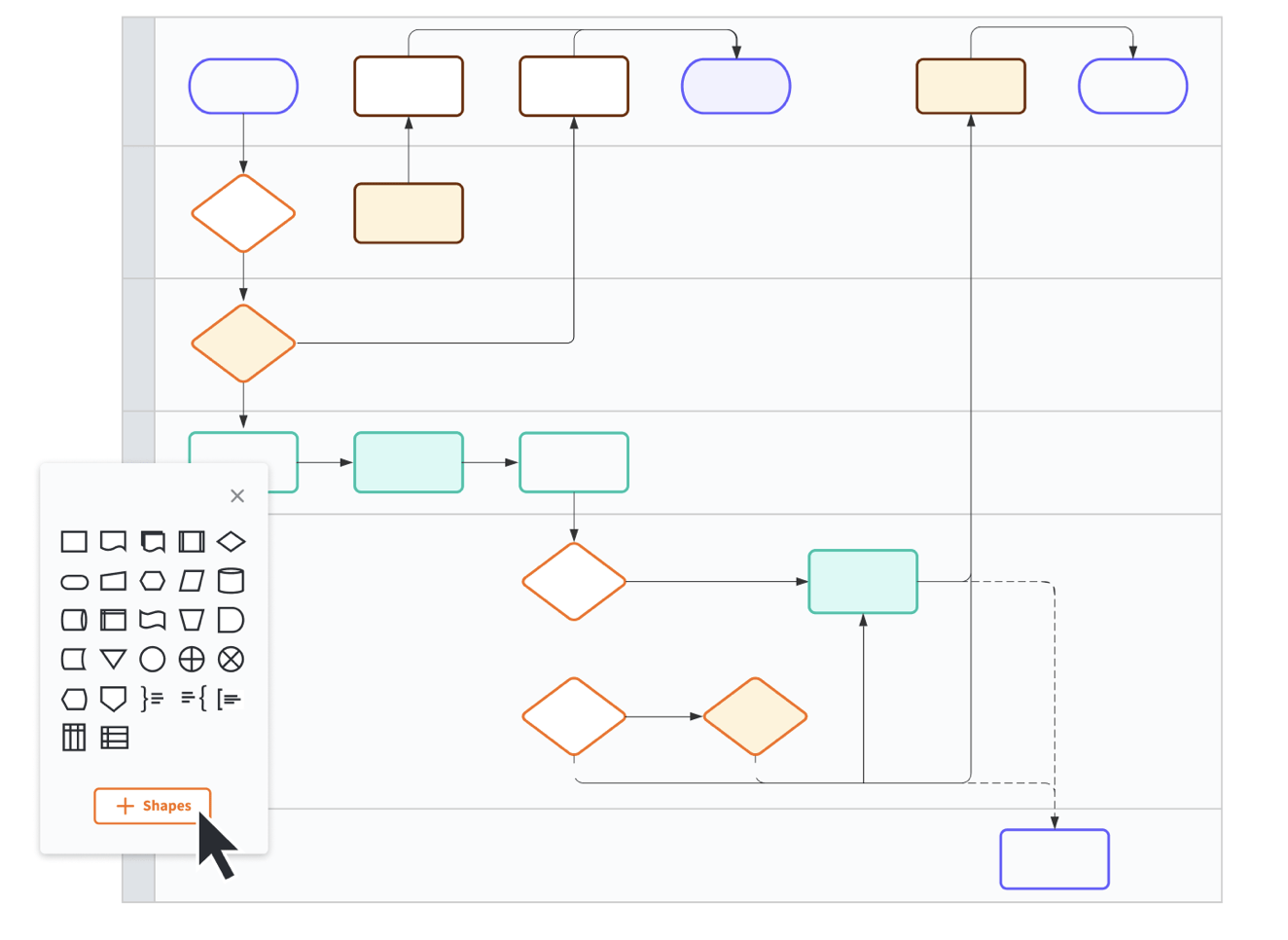
Lucidchart is a web-based diagramming platform known for its easy-to-understand interface and collaborative features. Try multiple customizable templates for a work breakdown structure, flowcharts, org charts, and more. Its real-time collaboration capabilities make it an excellent tool for teams working on complex projects.
Best Features of Lucidchart
- Cloud-based software that allows real-time collaboration with key team members through mentions and in-editor chat
- Import data from Excel or Google Sheets directly into your Lucidchart wbs diagram and watch your work breakdown structure automatically update whenever you change the data in your spreadsheet
- Create Jira tickets directly in Lucidchart to automate project requests
- Complement your visual breakdown with video descriptions embedded directly into the workspace
- Choose from over 1,000 diagramming templates to manage projects and more
- Lucidchart meets a long list of security certifications so your data is safe
Lucidchart limitations Lucidchart
- Large, complex designs reduce application performance
- Diagrams look a little low-res when exported to other platforms
- Scrolling in and out of large designs feels clunky to some people
Lucidchart Pricing
Lucidchart hasfourpricing plans
- Free
- Individual:$7.95/month per user
- Team:$9/month per user
- Business:call Lucidchart for pricing
Lucidchart ratings and reviews
- G2:4.6/5 (over 2,370 reviews)
- Capterra:4.5/5 (1,900+ reviews)
6. Visual Paradigm
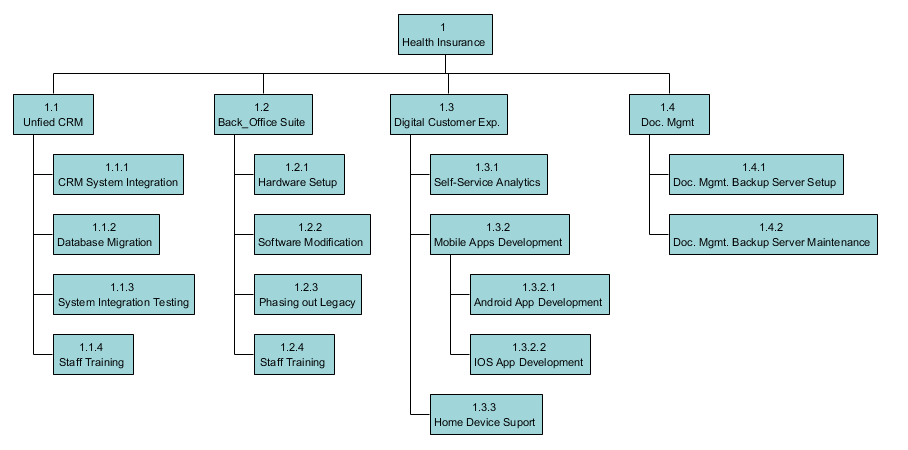
Visual Paradigm is a powerful tool for creating various diagrams, from simple flowcharts to complex work breakdown structures.
It has a rich set of features such as process simulation, project management guide and advanced modeling, making it suitable for managing complex projects.
Visual Paradigm’s best features
- Add and organize symbols and shapes with drag and drop
- Export to PNG, JPG, SVG, PDF, and more
- Create and connect shapes with just one drag. Position shapes with the handy alignment guide
- 40+ work breakdown structure templates
- Integrates seamlessly with MS Office tools
- Easily import Visio files
- Create custom shapes, symbols, and stencils
- Draw and edit collaboratively without replacing each other’s work
Limitations of the Visual Paradigm
- The lines don’t always connect correctly
- Some people find the button interface unwieldy
- Not all Visio file types can be imported
- Not all tools are available in online mode
- None XML export
Visual Paradigm Pricing
Visual Paradigm hasfourpricing plans
- Modeler:$6/month per user
- Standard:$19/month per user
- Professional:$35/month per user
- Business:$89/month per user
Visual Paradigm Ratings and Reviews
- G2:4.4/5 (8+ reviews)
- Capterra: 4.2 (15+ reviews)
7. Creatively
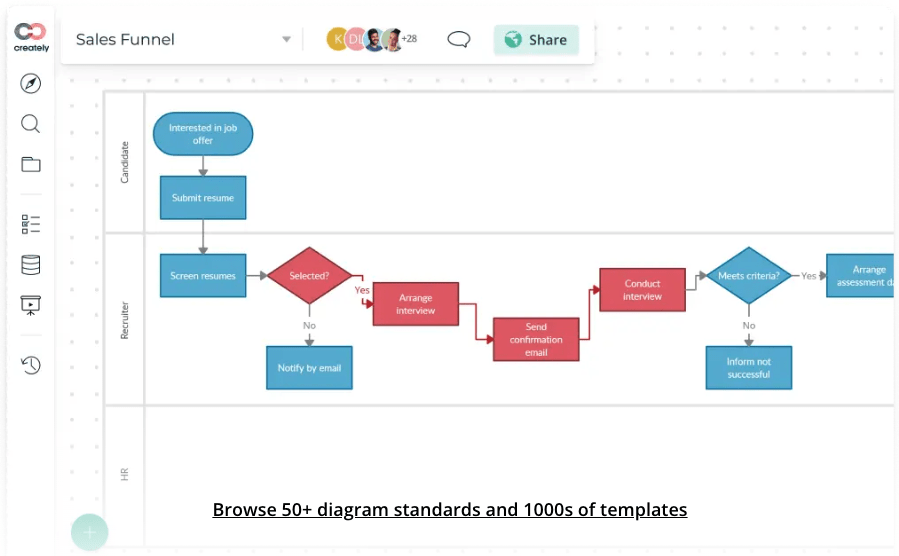
Creately is an intuitive diagramming tool designed for team collaboration . It supports a variety of diagrams, including work breakdown structures, flowcharts, and mind maps – unique features like real-time updates and in-app video conferencing support your team’s project planning efforts.
Best Built Resources
- Add documents, links, images, and other attachments to each work breakdown diagram or chart Gantt chart to provide context
- Use prioritization grids to sort tasks visually
- Link tasks to or from other project management tools and seamlessly migrate data from other programs
- Assign deadlines and tasks to project managers based on the project plan project,resource constraints, capacity and available skill sets
Creative constraints
- Lacks advanced features
- Limited customization
Creately Pricing
Creately hasfourpricing plans
- Free
- Starting:$5/month per user
- Business:$89/month per user
- Business:call Creately for pricing
Creately Ratings & Reviews
- G2:4.3/5 (520+ reviews)
- Capterra:4.4/5 (more of 160 reviews)
8. GanttPro
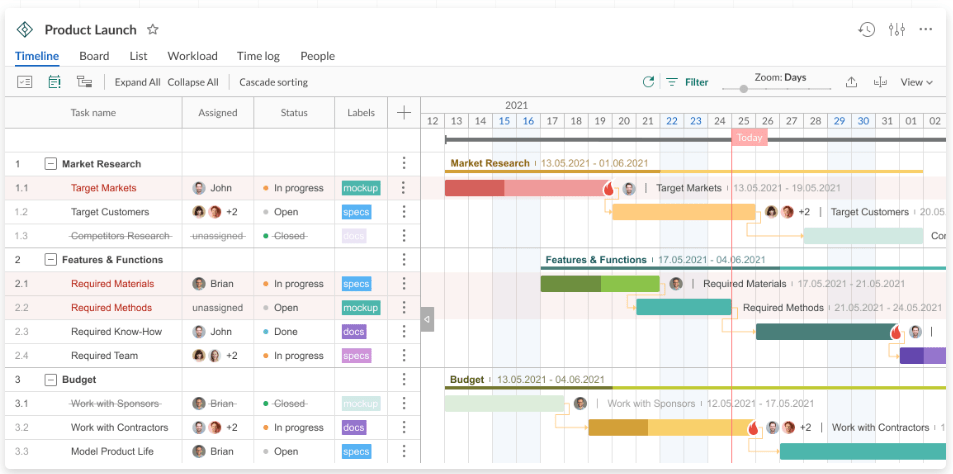
GanttPro is project management software focused on creating (you guessed it!) Gantt charts – a crucial part of work breakdown structures. It provides easy-to-use planning features, resource management, cost management tools, and collaboration features. It’s an excellent choice for managing project timelines and tasks.
Best Features of GanttPro
- Set a specific order for tasks to be performed with the task dependency feature
- Evaluate team performance with milestones
- Add due dates, track progress, estimate your budget, and set your team’s priorities right from your WBS diagram or chart
GanttPro limitations
- Limited integrations
- No options to print work breakdown structures if a physical copy is required
- Mobile app lacks some desktop features
- No free WBS software option – 14 trial only days
GanttPro Pricing
GanttPro hasfourpricing plans
- Basic:$7.99/month per user
- Pro:$12.99/month per user
- Business:$19.99/month per user
- Business:call GanttPro for pricing
GanttPro Ratings & Reviews
- G2:4.8/5 (420+ reviews)
- Capterra:4.8/5 (420+ reviews)
9. Zoho Projects
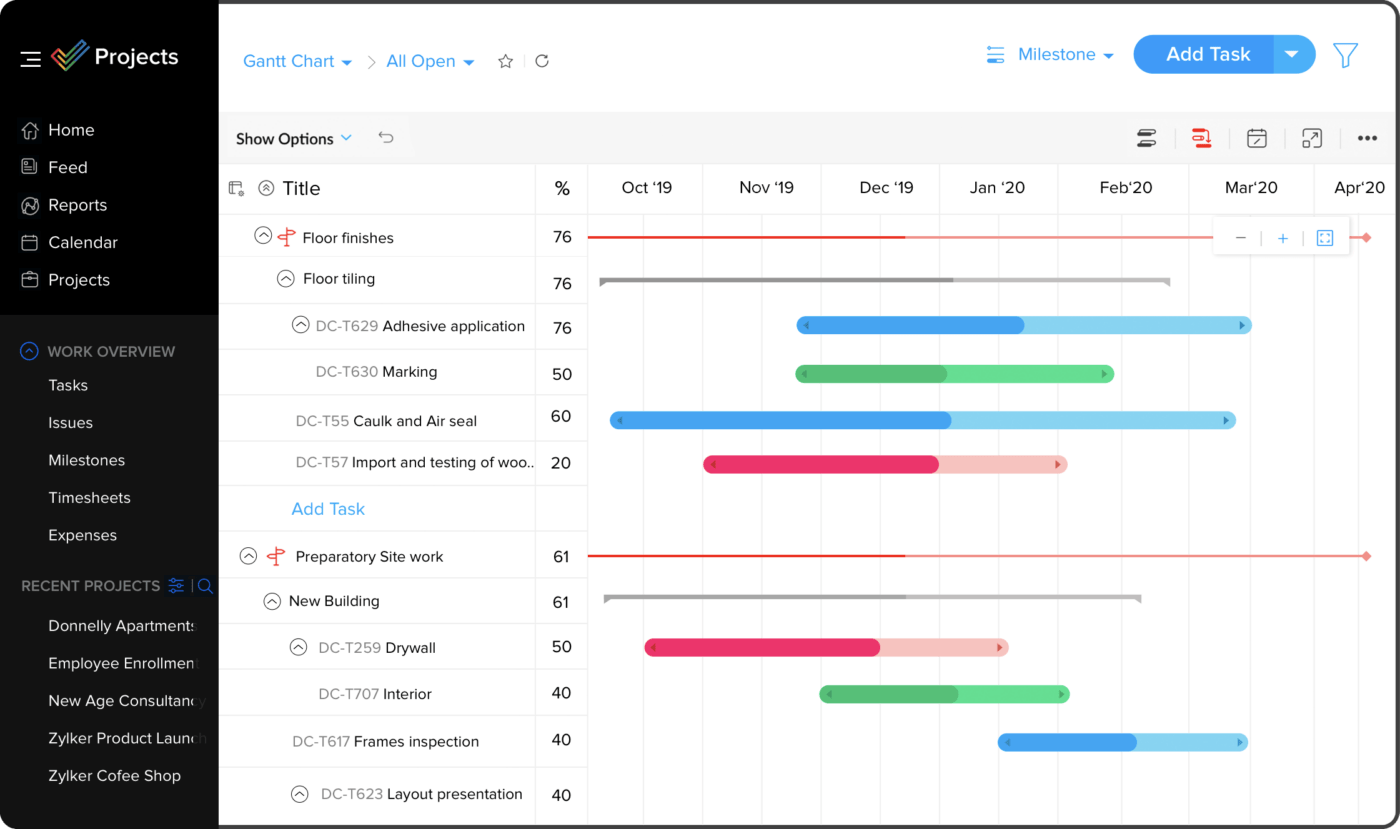
Zoho Projects is a comprehensive PM tool that provides a variety of features to aid in planning, tracking, and collaboration.
Its capabilities extend to creating task lists, scheduling with Gantt chart, tracking time management and document management, all of which support the creation of effective work breakdown structures.
Best Features of Zoho Projects
- Create custom rules to automate actions like assigning tasks, alerting teams about project changes, or alerting you to budget overruns or upcoming deadlines
- Record and track time and automatically connect data to billing and invoicing
- Plan your budget and manage your project against planned costs versus actual costs
- Integrate project tasks directly into your calendar to manage your workflow with drag-and-drop functionality
- Microsoft Projects Integration Options for MS Excel, Sheets, PowerPoint and More
Zoho Projects Limitations
- No payroll widget available
- File sync sometimes fails
- Requires Zapier to resolve many of the missing integrations
- No option to sign in mass
- Outdated design
Zoho Projects pricing
Zoho Projects hasthreepricing plans
- Free
- Premium:$5/month per user
- Business:$10/month per user
Zoho Projects Reviews and Ratings
- G2:4.3/5 (340+ reviews)
- Capterra:4.3/5 (more than 6,250 reviews
10. WBS Schedule Pro
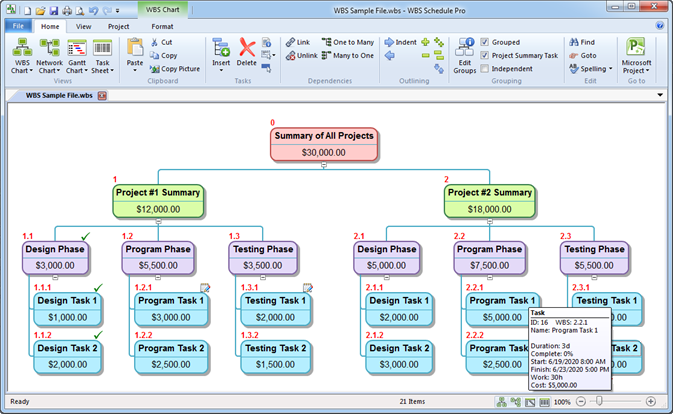
WBS Schedule Pro is a project management tool designed to create and manage work breakdown structures. It integrates with Microsoft Project – ideal for MS Office files and other project management systems. Its intuitive interface and robust features simplify visual planning and management of project components.
Its intuitive interface and robust features simplify visual planning and management of project components.
Best Features of WBS Schedule Pro
- Quickly view your project from top to bottom with phases and subtasks. tasks
- Create charts from existing plans in other project management software
- Roll up project data from the lowest levels of your hierarchy to the top
- Customize everything. Change colors based on task importance, progress to completion, hierarchy level and more
WBS Schedule Pro Limitations
- Limited use cases outside the WBS
- Some reviews say the user interface can be clunky
WBS Schedule Pricing Pro
WBS Schedule Pro haseightpricing plans
- 1 to 4:$349/license
- 5 to 9:$315/license
- 10 to 24:$280/license
- 25 to 49:$250/license
- 50 to 74:$225/license
- 75 to 99:$200/license
- 100 to 150:$175/license
- 150+: Call WBS Schedule Pro for Pricing
WBS Schedule Professional Reviews and Ratings
- G2:4.2/5 (3+ reviews)
- Capterra:N/A
Start collaborating with WBS tools
To choose the best EAP software solutions, understand your organizational needs and the nature of your projects.
Evaluate how these tools can Make your job easier by defining tasks, assigning responsibilities, and tracking progress on complex tasks. Consider testing several tools to find out which one best suits your needs.
Remember, when creating a work breakdown, you need a tool like ClickUp, which has a variety of diagrams, task lists, charts, and other visuals to contextualize your work. Work Breakdown Structure The WBS should be a means of professional communication and planning.
That’s why ClickUp is ideal for promoting clarity, fostering collaboration, and ensuring each team member understands their role and how their work fits into the project scope or plan.
Source: https://clickup.com/blog/work-breakdown-structure-software/
Explore more
Everything TaskUP does with ClickUp, in English.