

Salesforce Integration, Slack Link Preview, Custom Icons for Lists, and More.
ClickUp is excited to announce the latest updates, packed with new features to improve your experience and productivity. This week, they brought Salesforce integration, Slack link previews, custom icons for lists, easier view grouping, and more. Let’s check out all the details!
Integration with Salesforce
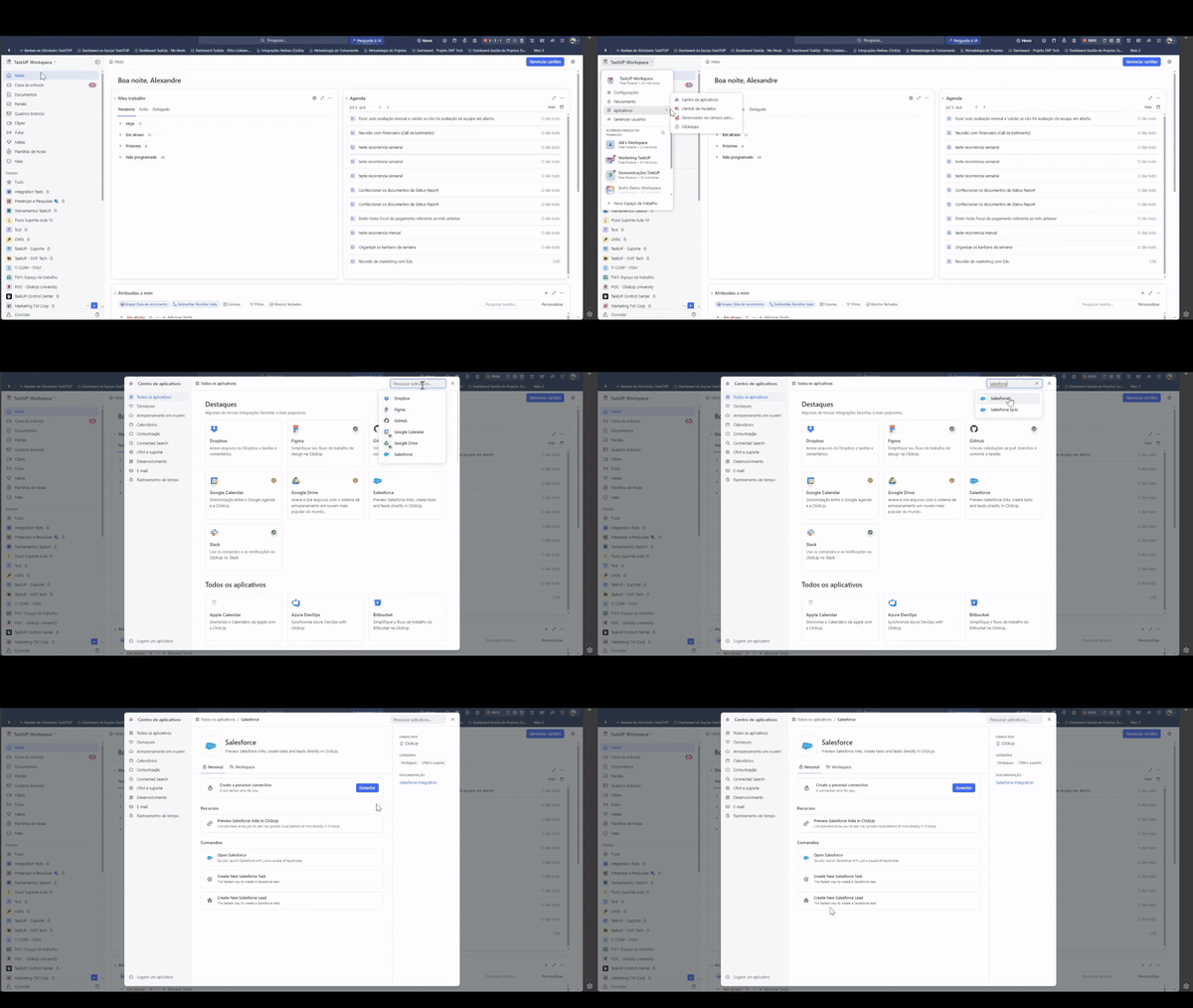
Integration with Salesforce is the big news this week. Now you can view Salesforce tasks, opportunities, contacts, leads, and accounts directly in ClickUp. Connecting your Salesforce account allows you to get detailed link previews and create new leads or tasks directly from the ClickUp search bar. This integration makes it easier to manage your sales processes and keeps all important information accessible in one place.
Slack Link Previews
Another exciting update is the ability to preview Slack links directly in ClickUp. When you paste a Slack link, you’ll see a bullet-style card and message preview, allowing you to get the details you need without leaving your workspace. For more context, simply click the link to go directly to the message in Slack. This feature keeps you informed and efficient by seamlessly integrating Slack communications into your ClickUp workflow.
Custom Icons for Lists
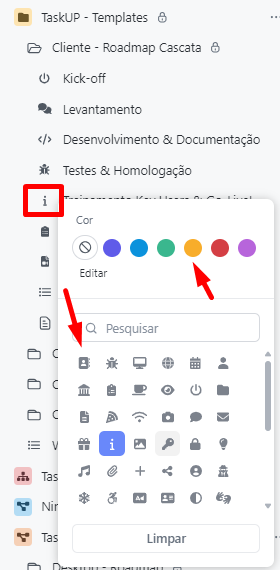
Now you can add custom icons to your lists, making it easier to identify and organize your projects. Configure unique icons for each list in your sidebar and combine with colors to provide greater clarity and a touch of creativity. This visual customization helps you quickly navigate lists and identify important projects at a glance.
View Grouping Made Easy
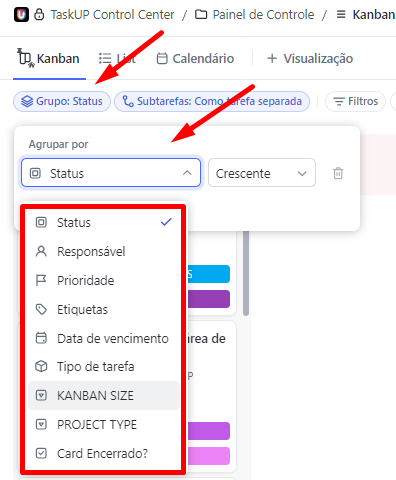
Grouping views in ClickUp just got easier. With the Redesigned Grouping drop-down menu, you can quickly choose which fields to group by or search for specific fields. Improved user interface and keyboard accessibility allow you to quickly tab through options, organize fields and groups efficiently. This feature makes organizing and visualizing data more intuitive and accessible.
Conclusion
These are the main updates to ClickUp in this week’s release! ClickUp is always working to improve your experience and provide the tools you need to maximize your productivity. Take advantage of these new features and keep following the updates to stay up to date with all the news. Until next time!
Explore more
Everything TaskUP does with ClickUp, in English.