

This week, ClickUp brings a series of exciting updates to improve your experience even further! We’ve introduced custom voting fields, new actions for custom fields in Zapier, the ability to edit start times on running timers, and more. Let’s check out all the details!
Custom Voting Fields
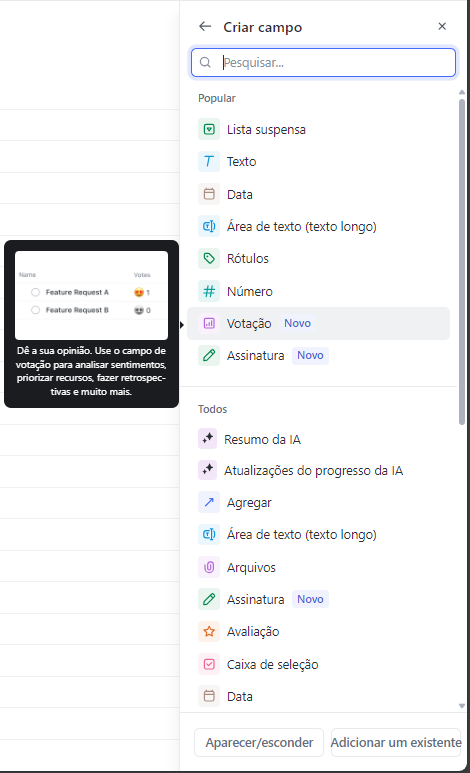
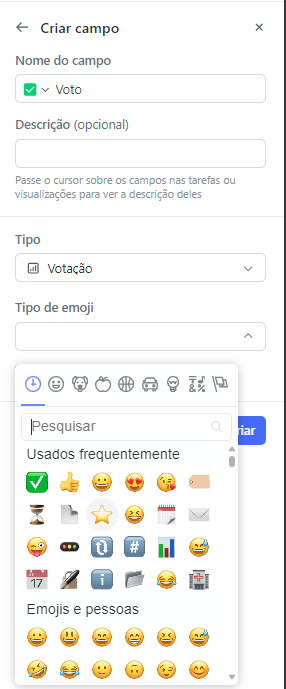
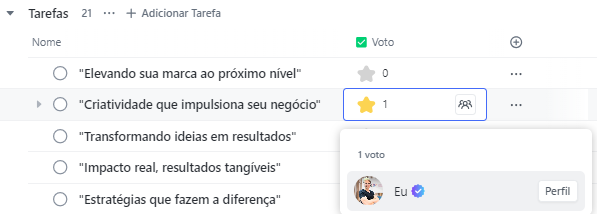
You can now vote on tasks using the new custom voting field type. Choose an emoji to add a special touch and use the voting field to prioritize ideas, hold retrospectives or simply decide, once and for all, whether dogs or cats are the best pets. This functionality allows the team to collaborate in a fun and efficient way, helping to make quick and democratic decisions.
New Actions for Custom Fields in Zapier
ClickUp has added four new actions for custom fields in Zapier, providing even more flexibility for your automations. You can now find custom fields, create a new custom field type, list tasks by custom field, and update custom field values. Additionally, Zapier now supports two new custom field types: Location and Formula. These updates enable more complex, personalized automations tailored to your team’s specific needs.
Edit Start Times in Running Timers
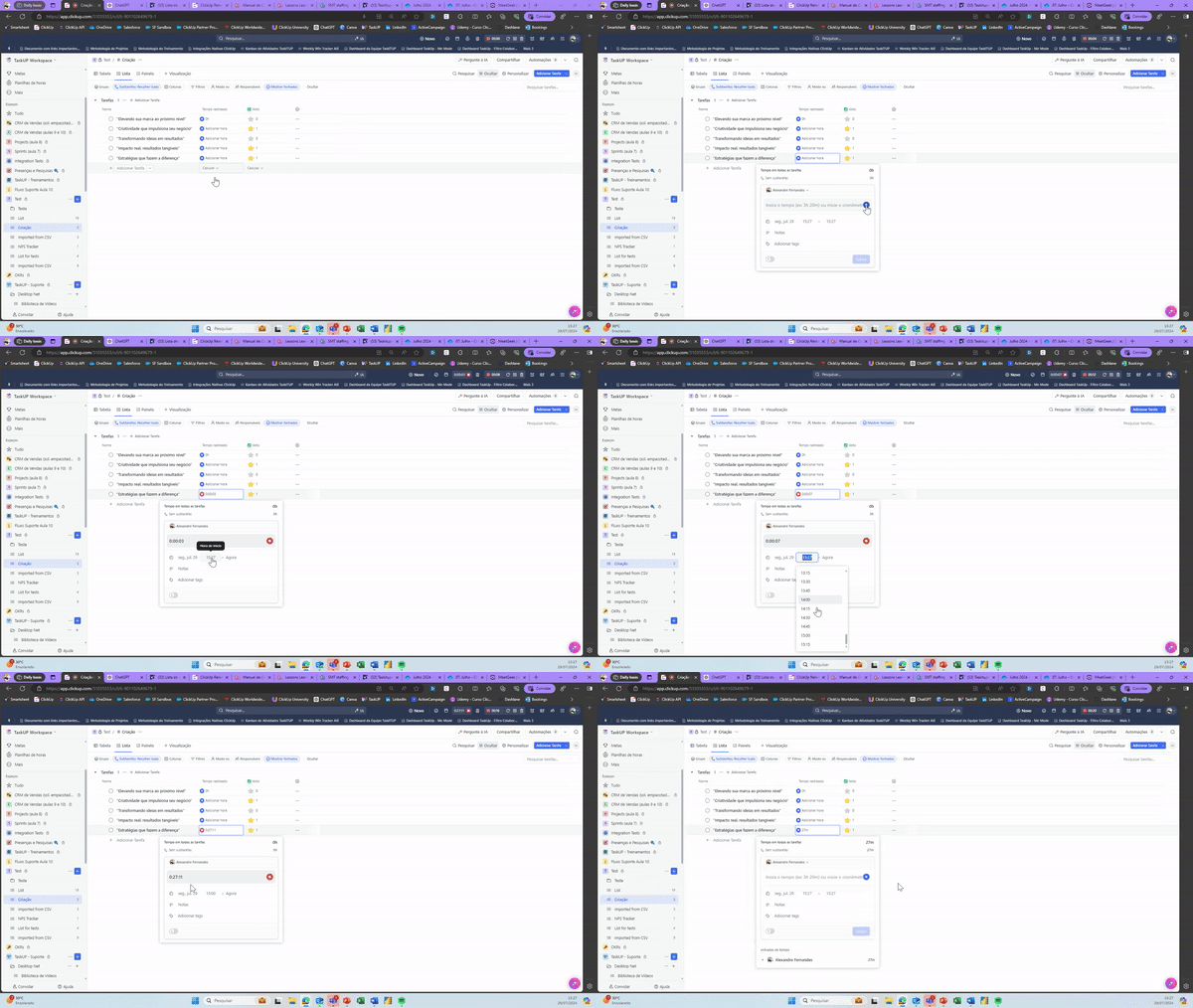
How many times have you started working on a task and forgotten to start the timer? Now, this is no longer a problem! With the new update, you can edit the start time of a running timer directly from the time tracking modal, ensuring you never miss a minute of work. This functionality helps you keep an accurate track of time, essential for project management and productivity.
These are this week’s main ClickUp updates! The ClickUp team is always dedicated to improving your experience and providing the tools you need to maximize your productivity. Take advantage of these new features and keep checking back for updates to stay up to date.
See you next week for more exciting updates!
Explore more
Everything TaskUP does with ClickUp, in English.