

ClickUp Updates: Version 3.43
This week we have exciting new features in ClickUp, including a new dark mode, Google Drive previews, and more. Let’s explore each of them.
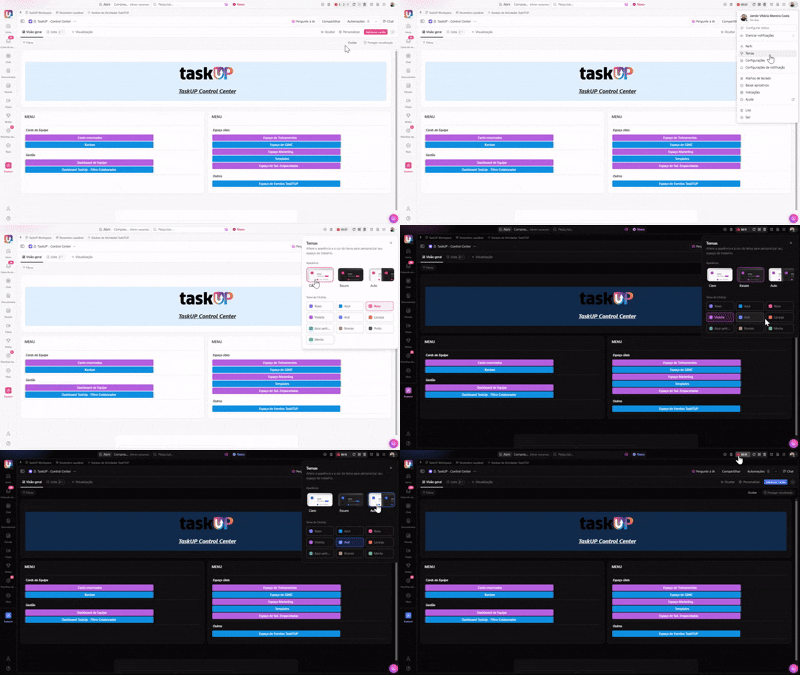
New Dark Mode
Rest your eyes with the new Dark Mode 3.0. Sleek, stylish and super clean, it, together with the improved light mode, makes ClickUp more modern and aesthetically pleasing than ever. Additionally, you can automatically adjust ClickUp to your current device’s theme settings using the automatic theme selector.
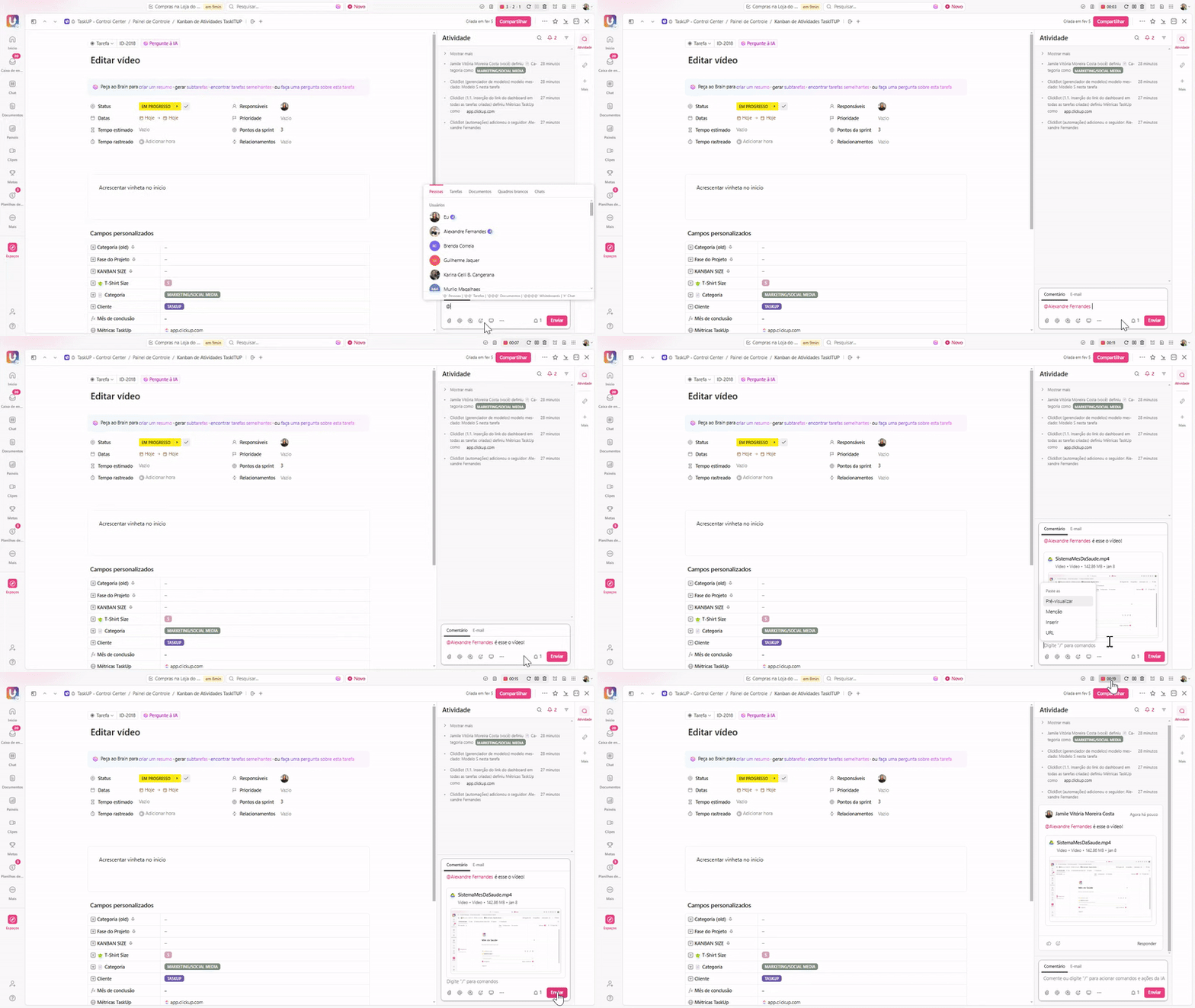
Google Drive Previews
Enjoy real-time previews of Google Drive content. Now you can see live, synced previews of documents, spreadsheets, PDFs, and more without having to switch apps. Simply paste a link to instantly access detailed content, including videos, images, and GIFs.
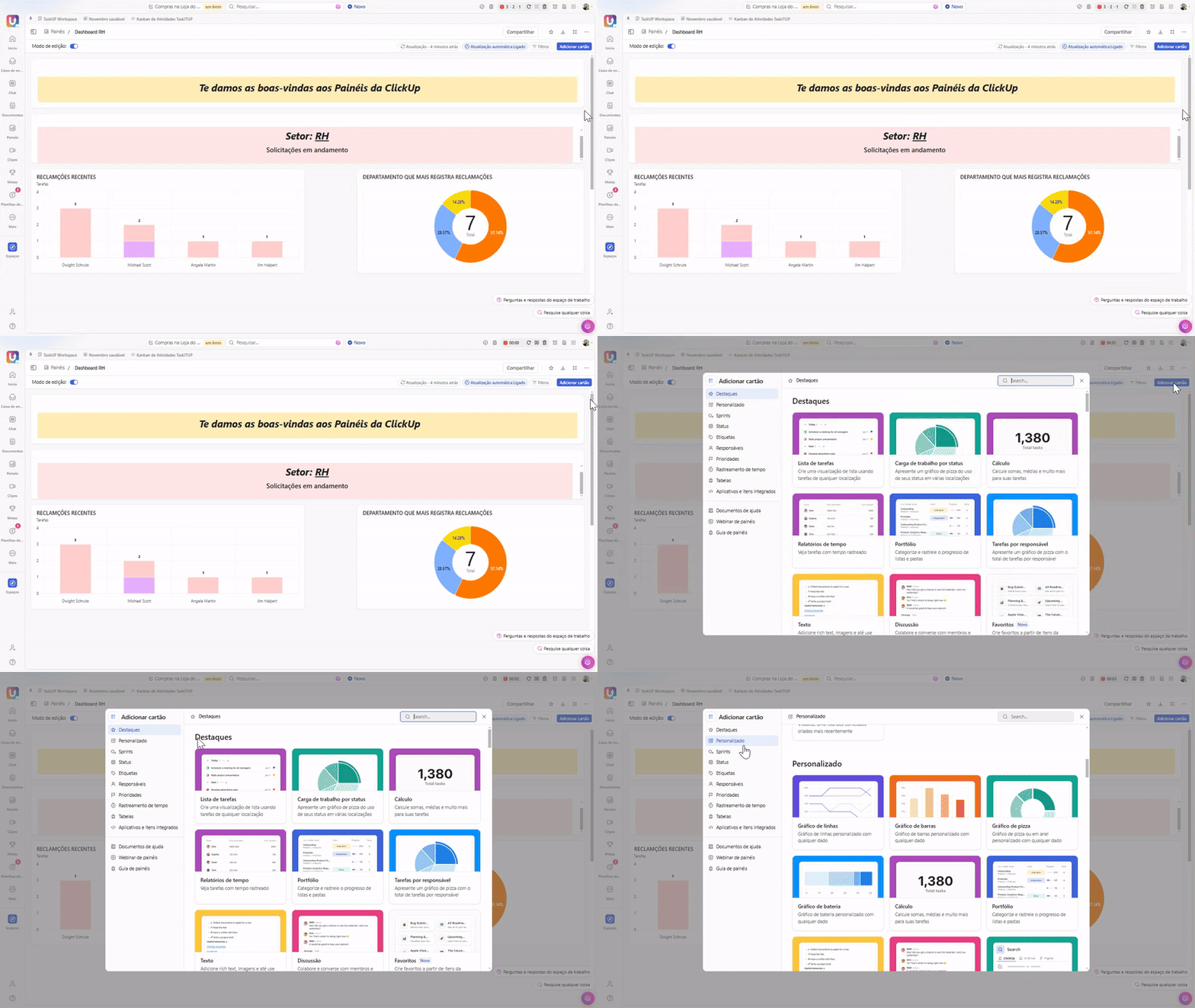
New Charting Options
Check out additional options for X-axis and line charts. Expand flexibility in your line charts using custom or standard date fields for the X-axis. Create charts using created, updated, and completion dates to display trends like high-priority tasks created daily, tasks completed weekly, or deals closed monthly. We have even more features and updates to announce, including a new developer portal (
More News
And it doesn’t stop there. We have even more features and updates to announce, including a new developer portal (https://developer.clickup.com/) and the ability to manage custom field permissions in the views sidebar. To find out more, wait and you’ll soon know everything about the launch.
These are this week’s ClickUp updates. Stay tuned for more news soon!
Explore more
Everything TaskUP does with ClickUp, in English.