

In this week’s ClickUp updates, we’re bringing the ability to filter by relationships, Microsoft Teams link previews, and more. Let’s get straight to the point!
Filter by Relationships
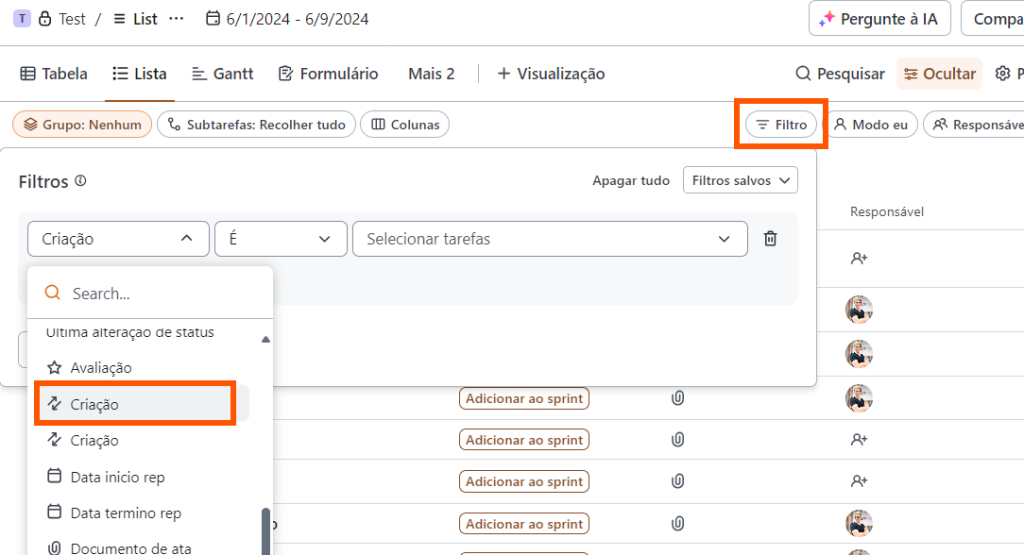
First, filter by custom relationships. Need to refine your visualizations based on a specific relationship? You can now filter by custom relationships, enabling more accurate and actionable insights in in-depth analytics and dashboard reports.
Microsoft Teams link previews
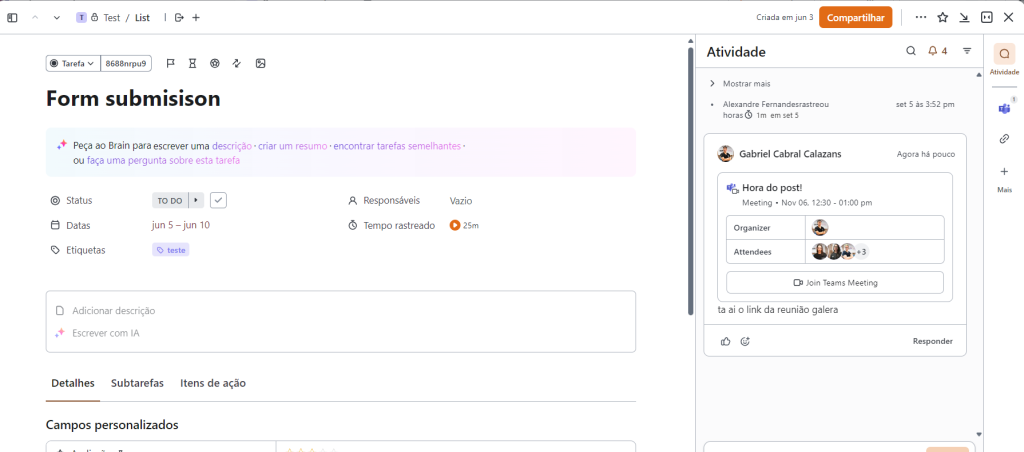
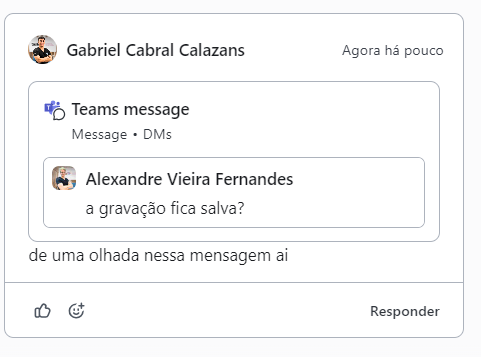
Then get context with Microsoft Teams link previews. See rich previews of ClickUp tasks, comments on tasks, or documents when you paste links into Teams, giving your team the context they need wherever they’re working. Plus, by pasting Teams meeting links into ClickUp, your team can join the meeting with a simple click on the join button.
New “My Work” page on mobile
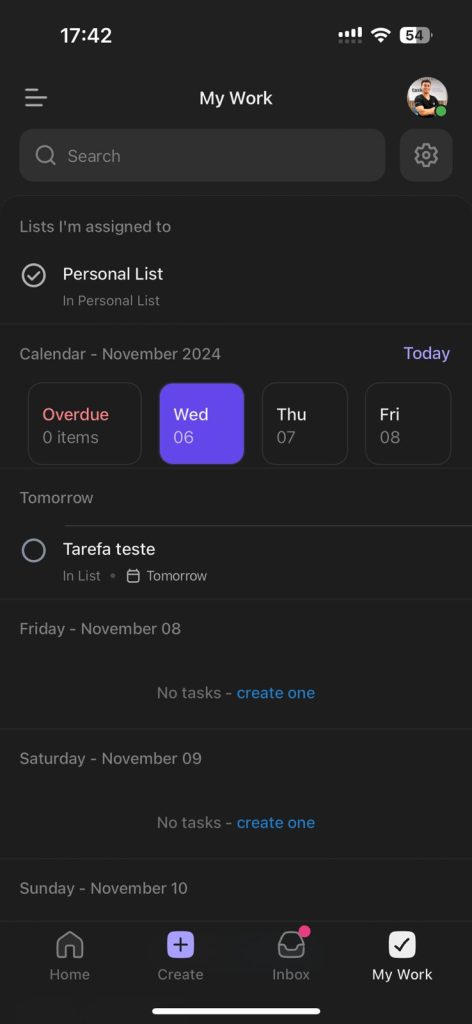
New “My Work” page on mobile. Quickly access a consolidated view of your tasks, events and calendar, all personalized according to your preferences. Use the “My Work” page to focus on what’s most important, even on the go.
Here’s what’s new in ClickUp this week, with features focused on permissions and efficiency. Take advantage of these updates to further streamline your workflow and keep your team aligned. Don’t forget to stay tuned for upcoming news!
Want to know more about the impact of these new functions? Keep an eye on our blog for exclusive tips!
Explore more
Everything TaskUP does with ClickUp, in English.