
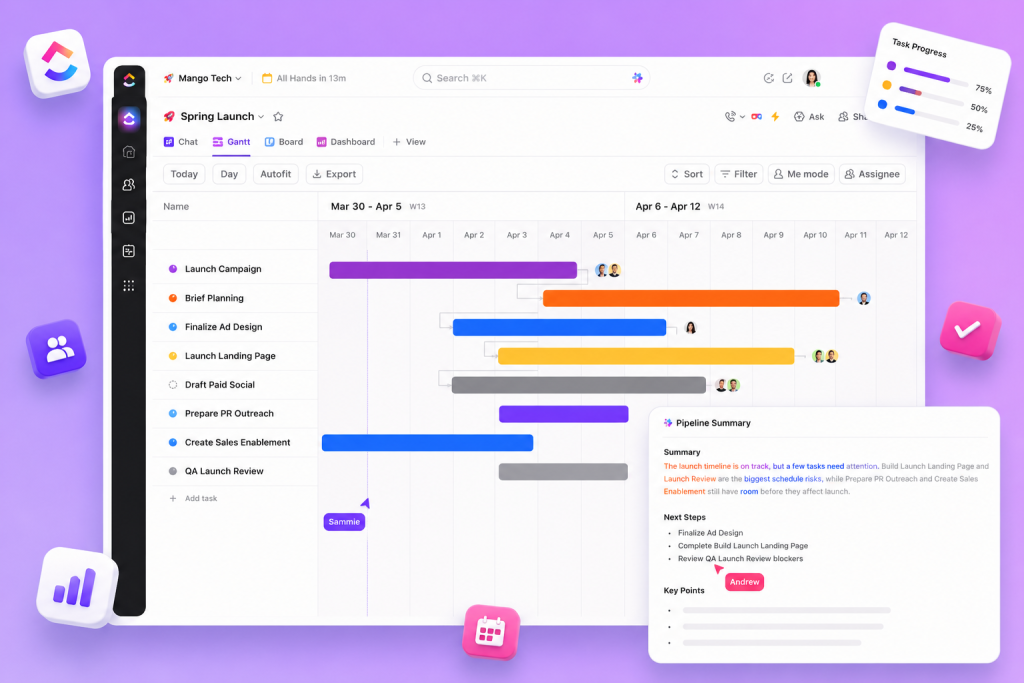
Organizing ClickUp workflows starts with understanding how to divide projects into tasks and visualize progress with appropriate tools. The focus is on structuring activities, choosing visualizations (such as Board views or Gantt charts) and aligning communication and knowledge management to deliver more predictable results.
A practical approach takes advantage of resources available for project management, such as Tasks, Portfolios, Sprints and Roadmap & backlog, in addition to supporting automation and the use of AI & Automation when repetitive processes arise. Integration with templates, docs and wikis makes it possible to standardize routines and centralize essential information for the team.
Organize ClickUp workflows: practical steps
Establishing an organized flow requires clear steps that connect planning, execution and governance. Below, a practical sequence aligned with management and communication functionalities:
- Map the scope at the level of Portfolios and Projects to visualize the composition of the work.
- Divide deliverables into manageable Tasks, clearly associating those responsible and priorities.
- Select the appropriate view (Board views for Kanban, Gantt charts for schedule) depending on the type of control needed.
- Use Roadmap & backlog and Sprints to organize iterative deliveries and prioritize what enters the work cycle.
- Centralize documentation in Docs and Wikis to reduce rework and synchronize knowledge between teams.
- Apply Templates to standardize recurring processes and Integrations to connect complementary tools.
How to visualize, track and automate the flow
The choice of visualization directly impacts the clarity of the flow. Board views and Kanban help manage task status; Gantt charts make dependencies and deadlines more explicit; Portfolios allow you to track multiple projects in a single overview. Complementing with Sprints and Sprint reports brings discipline to delivery cycles.
To reduce manual work and improve governance, consider automations and AI & Automation when there are repetitive activities or clear transition rules between states. Templates and Integrations help to replicate patterns and connect relevant information between areas such as Operations, IT and Marketing.
https://taskup.com.br/Organizing tasks, views and documents into a single flow facilitates communication and speeds up decision making. Below is a table that compares useful elements for composing workflows and their essential uses.
| Element | Recommended use |
|---|---|
| Tasks | Break deliverables into executable units and assign responsibilities |
| Board views | View progress in columns (Kanban model) and facilitate daily management |
| Gantt charts | Plan schedules, observe dependencies and adjust deadlines |
| Portfolios | Group multiple projects for executive tracking |
| Sprints | Organize work into iterative cycles and track performance with reports |
| Roadmap & backlog | Prioritize initiatives and structure long-term workflow |
| Docs | Document decisions, requirements, and operational guidance |
| Wikis | Centralize institutional knowledge and process standards |
| AI & Automation | Automate repetitive tasks and speed up administrative routines |
| Templates | Standardize project structures and accelerate configuration of new flows |
Good operational practices for consistent flows
In addition to tools, some operational practices help keep the flow healthy and predictable:
- Define clear responsibility for each task and Portfolio element.
- Update views as progress to maintain transparency.
- Use Docs and Wikis as a single source of truth for requirements and processes.
- Apply Templates to projects with similar deliverables to reduce configuration errors.
- Review Roadmap & backlog periodically to realign priorities.
Measure what matters and adjust the flow
To organize ClickUp workflows effectively, you need to look at review frequency and sticking points. Sprint reports and Portfolio reports support the identification of bottlenecks; The combination of views (Board views and Gantt charts) makes it easier to investigate causes and take action.
When a pattern of rework or delay emerges, using Templates and automations can standardize and speed resolution — while Docs and Wikis document what has been learned to avoid repeating the problem.
Organizing ClickUp workflows requires alignment between planning, execution and governance. By combining Tasks, appropriate visualizations, centralized documentation and automation, teams gain predictability and reduce operational friction, transforming project management into clearer and more efficient processes.
Explore more
Everything TaskUP does with ClickUp, in English.