

New features and improvements
ClickUp this week brought custom field permissions custom field, the ability to reorder all viewsand view groups and more!
Private custom fields and permissions
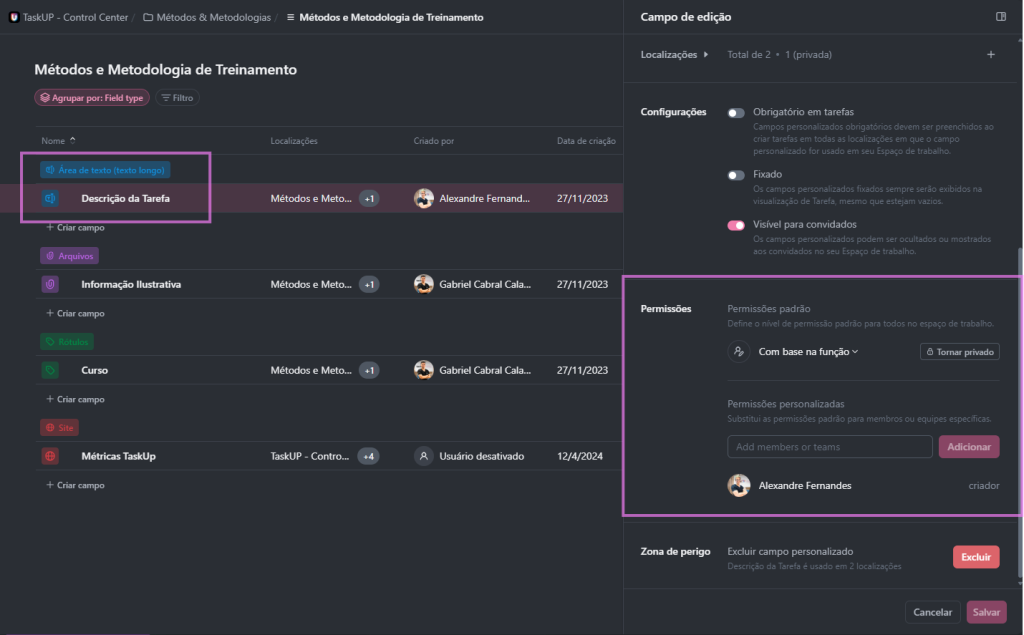
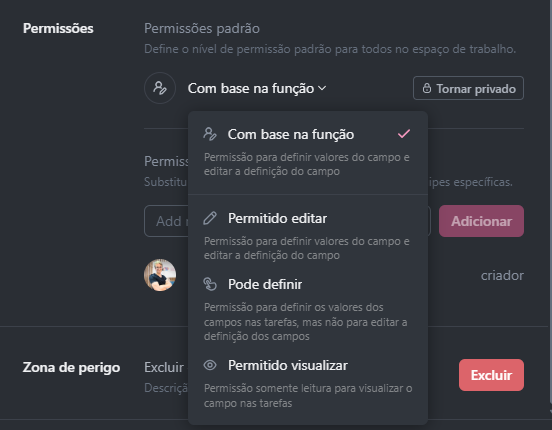
First, take full control of your work environment with custom field permissions. These permissions allow you to precisely define who has access to view, edit, or assign values to each specific field. If there is a need for greater confidentiality, it is possible to make certain fields private, ensuring more solid and personalized governance. This customization gives you the flexibility you need to apply workflows that fit your needs and protect sensitive information with enhanced security while maintaining full control over your organization’s critical data.
With this powerful customization, you can significantly improve data governance and protection by adapting your work environment efficiently and strategically.
Reorder views and groups of views
Then improve the organization of your views. You can now reorder all visualizations and group data flexibly without the need to permanently pin it. With this functionality, you can quickly reorganize your views, allowing easier and more efficient access to the information you need most, optimizing your workflow.
To activate it in your space, click on the three dots ➝ Space settings and activate the “Group views by type” option:
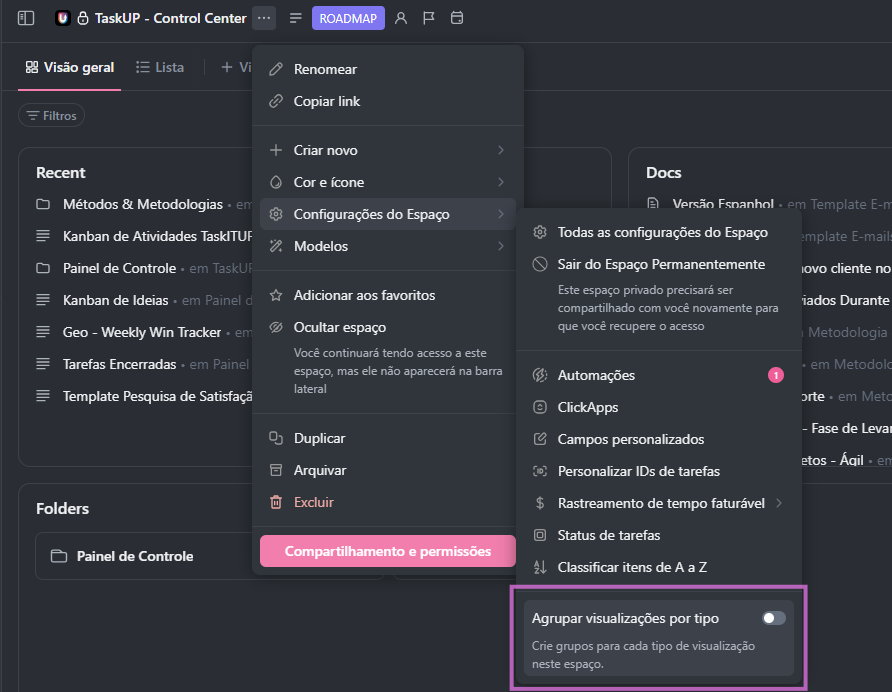
If there are several views of the same type in the View Bar, they will be grouped into a single title. Click the number next to a view’s name to see the view group.
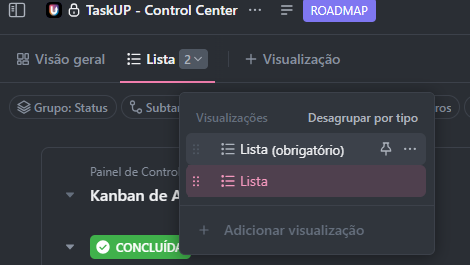
The views modal includes the following options:
- Ungroup by type: Turn off view grouping.
- Pin view: Pin or unpin a view in the Views Bar. When a view is pinned, it no longer appears in the view group.
- View Settings: Edit the view settings.
- +Add View: Add a new view to the local.
Group by task type in dashboard cards
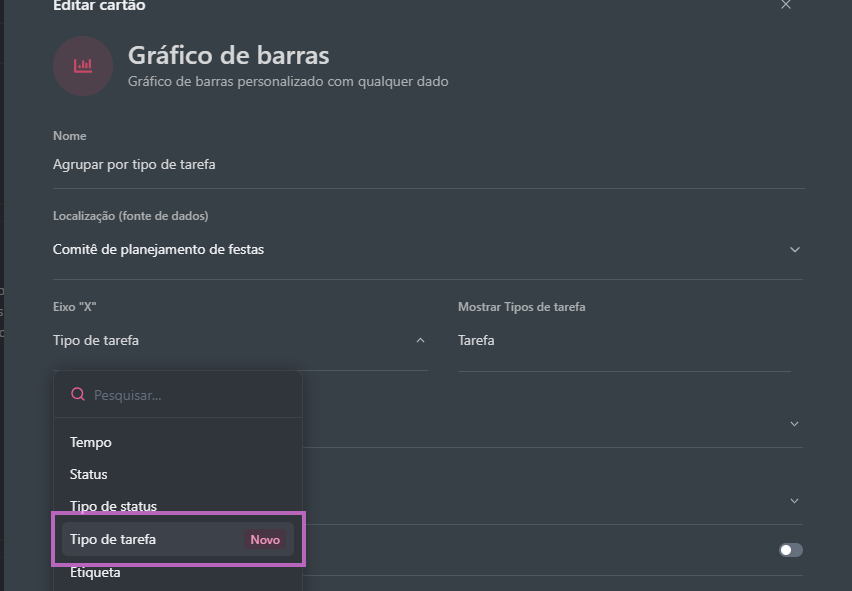
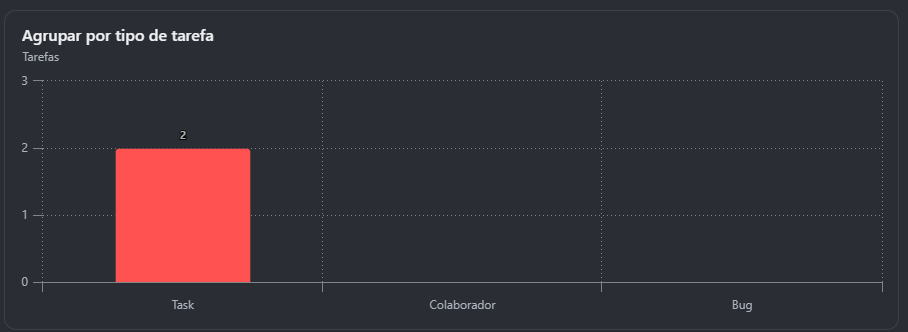
Finally, organize and visualize your work even more clearly with the new functionality of grouping by task type in custom dashboard cards. This enhancement provides a structured view of your workload, allowing you to manage tasks visually and intuitively. Now, with personalized cards, you have a clear representation of the status and progress of each activity, making task prioritization and task easier. monitoring of goals and deadlines clear representation of status and progress of each activity, facilitating the task prioritization and the monitoring goals and deadlines established.
In addition, it is possible to group tasks by type in different graphic formats, such as line, bar, pie, and donut charts, to provide a deeper understanding of the type of work being performed. These visual graphs help identify work patterns, distributing responsibilities more efficiently and ensuring that progress is monitored effectively.
This functionality makes task management more organized and accessible, improving workload visualization and optimizing performance and goal tracking.
These are the new additions to ClickUp this week, with features focused on permissions and efficiency. Take advantage of these updates to further streamline your workflow and keep your team aligned. Don’t forget to stay tuned for upcoming news!
Want to know more about the impact of these new functions? Keep an eye on our blog for exclusive tips!
Explore more
Everything TaskUP does with ClickUp, in English.