
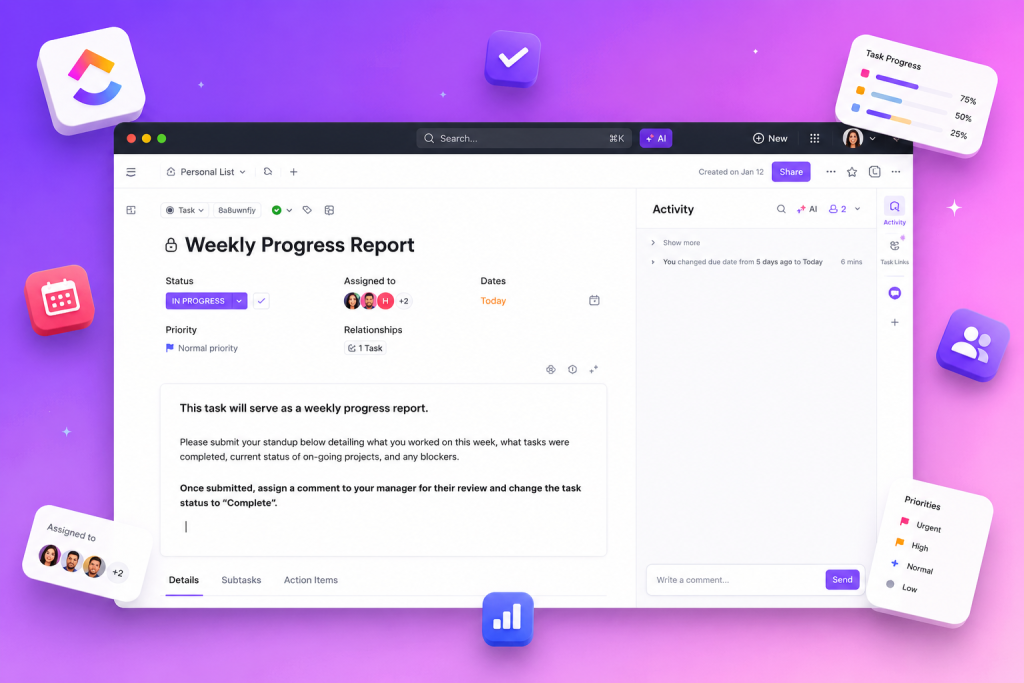
AI in ClickUp appears as an integrated component of the platform’s management and automation tools, offering support for tasks, documentation and research with features such as “AI & Automation”, “Ask AI” and “Universal search”. This set allows you to align project execution, visibility and support for decision making within the digital work environment.
The content available in the source indicates that ClickUp brings together fundamental resources for project management — such as tasks, portfolios, board views and gantt charts — in addition to knowledge management functionalities (docs, wikis) and agile methods (sprints, kanban, roadmap & backlog). These elements, combined with AI & Automation, form the operational basis for increasing productivity, applying automation and structuring delivery governance.
How AI in ClickUp integrates with management resources
The presence of “Ask AI” and “AI & Automation” in the set of functionalities places artificial intelligence as a layer that complements already known project management resources. In contexts where tasks, portfolios, board views and Gantt charts are used, AI can be understood as a support tool to retrieve information, synthesize content and trigger automated rules, integrating with documentation (docs, wikis) and universal search.
Automation, productivity and governance with native resources
The Resources listed by the source — tasks, board views, Gantt charts, sprints, sprint reports, kanban, and roadmap & backlog — are elements that support execution practices. When combined with AI & Automation, these components collaborate to create repeatable flows and improve operational consistency. The existence of docs and wikis makes it easier to centralize knowledge, while universal search helps to locate critical items in the context of the project.
| Resource mentioned | Practical application in the context of projects |
|---|---|
| Tasks | Registration and monitoring of work at activity level. |
| Portfolios | Consolidated view of multiple projects for executive monitoring. |
| Board views | Visual workflow management in Kanban format. |
| Gantt charts | Sequence planning and dependency tracking. |
| Docs / Wikis | Knowledge storage, process and policy documentation. |
| Ask AI | Interact with content to get answers and summaries within the workspace. |
| Universal search | Unified search that makes it easy to find tasks, documents and information. |
| Sprints / Sprint reports | Organization and analysis of iterations in agile development. |
| Kanban | Flow control, work-in-progress limits and milestone visualization. |
| Roadmap & backlog | Product planning and prioritization of future deliveries. |
In addition to product features, the source shows a set of educational and support resources that accompany the adoption of tools: University, demos, video tutorials, webinars, blog, customer stories, virtual summits, productivity quiz, professional services, support services and partner services. These items help with training and operational support.
Support resources and practical steps for adoption
To structure the adoption of AI in the workplace with the aforementioned functionalities, it is useful to consider the support resources listed in the source as part of the implementation journey. Training materials and support channels help standardize the use of docs, automations and sprint routines, ensuring that teams are aware of the tools available.
Resources and support formats indicated in the source include:
- University — for structured training and continuous learning.
- Demos — practical demonstrations of functionalities and flows.
- Video tutorials — step-by-step guides in audiovisual format.
- Webinars — live events for in-depth subject matter.
- Support services — channels for resolving questions and incidents.
- Professional services — specialized support for configurations and processes.
- Partner services — partnerships that complement implementation and adoption.
Good operational practices aligned with what the source presents
Based on the registered categories and resources, some practices consistent with the organization of the tools are: keeping docs and wikis updated to support decisions; use boards, sprints and roadmaps to visualize priorities; take advantage of universal search to reduce search time; and articulate automations with clear rules to preserve governance. The combination of execution functionalities and educational support creates an environment in which productivity and operational consistency can be pursued in a structured way.
For teams working in areas such as Project management, Product development, Sales, Operations, Human resources, IT or Marketing — solutions cited in the source — the integration between traditional management (tasks, plans, reports) and automation/AI layers described offers a path to maturity for executing projects and operations.
When organizing flows with highlighted functionalities, it is important to map out where each platform resource will be used and what educational support will be needed. The typical application sequence may include: definition of backlog and roadmap, creation of tasks and boards, documentation in docs/wikis, instrumentation of automations and use of Ask AI / universal search to support information.
The materials listed in the sources (blog, video tutorials, webinars and demos) make it possible to form teams capable of operating the resources mentioned in a more consistent way, while professional and support services provide support in demanding scenarios customization or problem solving.
AI in ClickUp, as presented, works as an integrated element in the stack of management, automation and knowledge management resources, supporting execution and information search without replacing the need for clear processes and document governance.
Explore more
Everything TaskUP does with ClickUp, in English.