
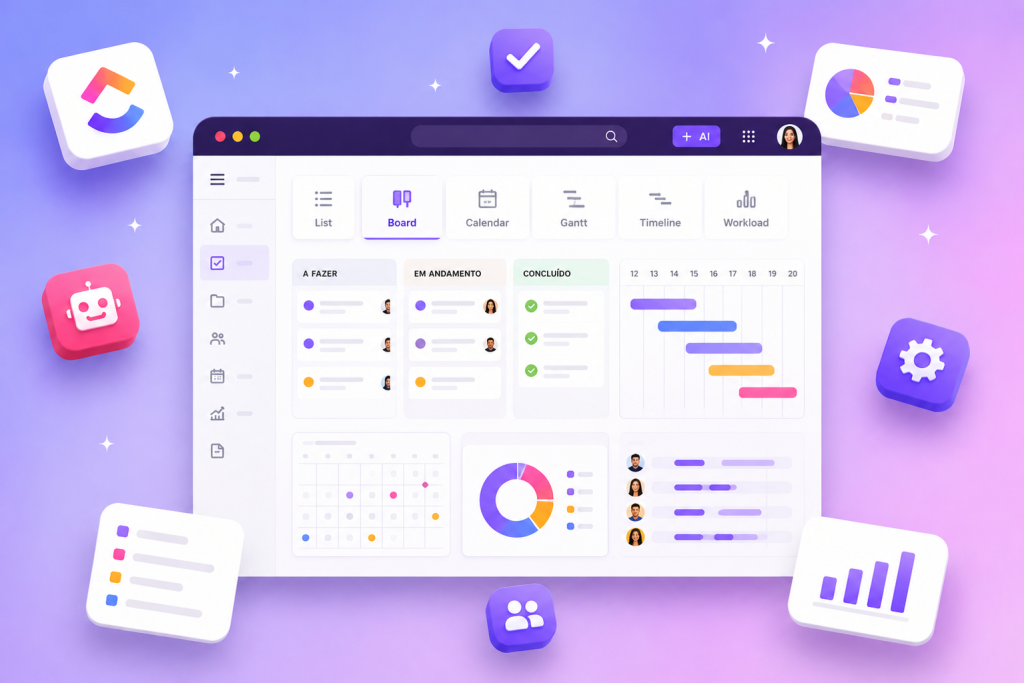
Task management in ClickUp starts with choosing the views that best align work, deadlines and priorities with operational flow. Views such as Board views (Kanban), Gantt charts, Tasks and Portfolios appear in the platform’s set of resources and allow you to organize tasks according to different needs within projects and operations.
Understanding each available view and how to combine them is essential to transform task lists into a coherent visual structure. The selection between Sprints, Sprint reports, Roadmap & backlog, in addition to communication resources such as Docs, Wikis, Ask AI and Universal search, makes up the ecosystem that facilitates navigation, decision making and governance over work in progress. ClickUp. Each addresses a specific aspect of workflow and governance:
Essential views for task management in ClickUp
The views listed in the platform’s documentation and materials represent complementary approaches to task management in ClickUp. Each addresses a specific aspect of workflow and governance:
- Tasks: central view to list and manage individual work items.
- Board views (Kanban): organizes tasks into columns by stage, favoring flow monitoring.
- Gantt charts: exposes dependencies and temporal sequencing between tasks.
- Portfolios: offers a high-level view of multiple projects or areas.
- Sprints and Sprint reports: structure and track iterative work cycles.
- Roadmap & backlog: centralize future planning and prioritization of initiatives.
How to interpret each view
Each view has a distinct focus: lists and Tasks allow detailed control of items; Board views map the workflow; Gantt charts articulate timelines; Portfolios consolidate project status; Sprints and Sprint reports support agile cadence; Roadmap & backlog guide strategic planning. Communicators and documenters use Docs and Wikis to record decisions and processes, while tools like Ask AI and Universal search help locate information and generate insights within the environment.
How to choose and combine visualizations for organization
Selection and combination of visualizations must follow the required level of detail, the pace of execution and the governance objective. Projects with chronological dependencies tend to benefit from Gantt charts, while ongoing operations may prefer Board views. Portfolios help stakeholders see multiple projects without losing focus on deliverables.
A common practical combination involves keeping Tasks as the source of truth, Board views for daily operations, Gantt charts for planning, and Portfolios for executive oversight. Sprints and Sprint reports serve when work is organized into iterations and Roadmap & backlog are useful for long-term prioritization. where primary information is recorded and how views are updated. Integrating documentation into Docs and Wikis ensures that processes and prioritization criteria are accessible to the entire team. Using Sprint reports when applicable helps to revisit results and adjust future cycles.
Practical tips for maintaining visual organization and governance
Effective visual organization requires clear rules about where primary information is recorded and how visualizations are updated. Integrating documentation into Docs and Wikis ensures that processes and prioritization criteria are accessible to the entire team. Using Sprint reports when applicable helps to revisit results and adjust future cycles.
Below, a table with the main visualizations mentioned in the reference and the practical purpose of each one, to assist in choosing according to the team’s needs.
| Visualization | Main purpose | Usage scenario |
|---|---|---|
| Tasks | Detailed listing and control of items | Daily control of individual activities |
| Board views (Kanban) | Map flow and status by columns | Continuous operations and stage tracking |
| Gantt charts | View dependencies and schedules | Projects with critical sequencing and deadlines |
| Portfolios | Consolidation of projects and executive vision | Management of multiple projects or areas |
| Sprints | Structuring iterative work cycles | Teams that work in agile iterations |
| Sprint reports | Track results of sprints | Agile process reviews and improvements |
| Roadmap & backlog | Initiative planning and prioritization | Future work organization and strategic alignment |
In addition to the table, a practical list complements operational approaches that help apply the views without overlapping responsibilities or loss of traceability.
- Define a source of truth for tasks (for example, keep Tasks updated as the master record).
- Choose a primary operational view (Board views) for the daily routine.
- Use Gantt charts only for phases that require temporal planning and dependencies clear.
- Consolidate strategic vision with Portfolios and Roadmap & backlog for executive levels.
- Adopt Sprints and Sprint reports when the team follows an iterative cadence and needs cycle review.
The list above presents concrete steps that do not repeat the content of the table: while the table describes what each visualization does, the list indicates how to operationalize the choice and use of these visualizations within a coherent workflow.
Implementing visual governance also implies documenting practices in Docs and Wikis and using search and assistance tools to find and interpret information when necessary. Combining the right views with clear update rules and documentation keeps task management in ClickUp aligned with the team’s rhythm and operations and governance needs.
By structuring views and processes, you can create an environment where decisions, planning and execution converge for more transparent and trackable task management within the platform.
Explore more
Everything TaskUP does with ClickUp, in English.