
Introduction
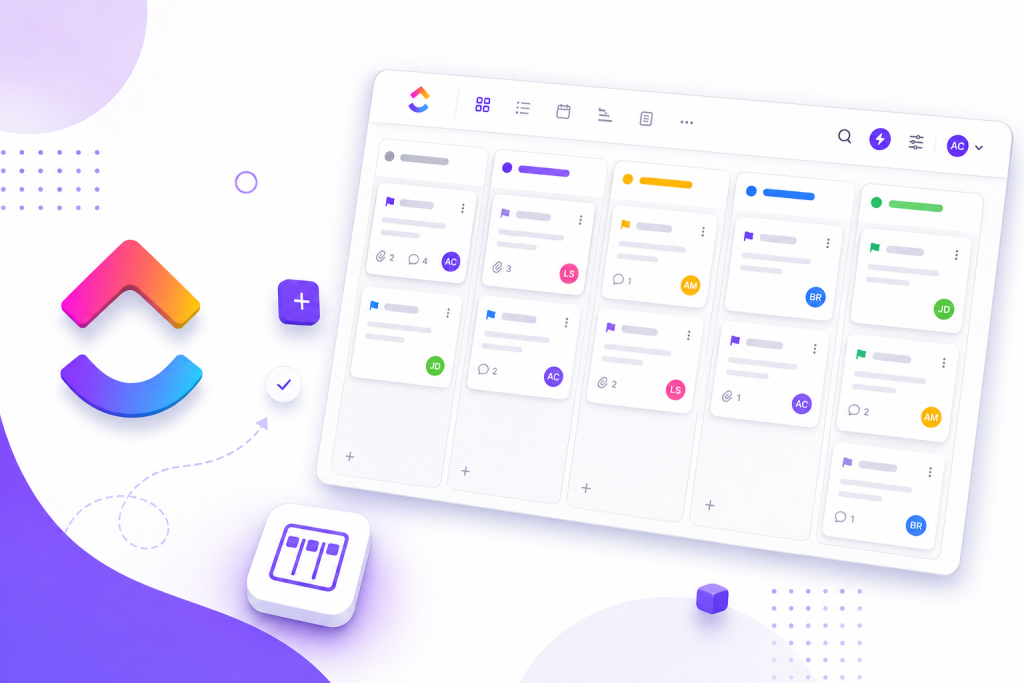
If your team feels that tasks are progressing, but nothing really seems to move forward, the problem is almost never a lack of effort. In practice, visibility is often lacking. ClickUp comes in handy at this point by transforming scattered work into a Kanban board that’s easy to track, update and prioritize.
The gain isn’t just in dragging cards between columns. A good chart shows where the flow gets stuck, who is overloaded and what needs to get out of the way for delivery to continue. When Kanban is part of a larger structure, with tasks, deadlines, responsible parties and automations in the same place, the operation is less improvised.
What Kanban in ClickUp solves on a daily basis
Kanban is a visual way of organizing work into stages. Instead of looking for updates in messages, spreadsheets and meetings, the team sees the status of tasks in columns such as “To Do”, “In Progress” and “Completed”.
In ClickUp, this model works well because the board is not isolated. Each card can contain a description, checklist, deadline, files, comments and person responsible. This reduces context switching and avoids that common situation where the task is visible, but the necessary information is lost elsewhere.
In practice, it is useful for marketing, product, operations, sales and small teams that need clarity without setting up an overly cumbersome process. The board helps both in recurring routines and in projects with multiple steps and dependencies.
Why ClickUp makes a difference in a Kanban board
The main difference is in integration. In many tools, the board is just a status panel. In ClickUp, it can be part of a larger management system, with lists, documents, goals, automations and alternative views for the same task.
This matters because the team does not always work in one way. A manager may prefer a calendar view, someone from operations may want a list, and the execution team can run everything through Kanban. When all these views point to the same work base, alignment improves without requiring rework.
Another strong point is executing the task directly on the card. Instead of using the board just to move items, the team can update fields, comment, attach files, and complete steps in the flow itself. It seems like a detail, but it saves time throughout the week.
How to use ClickUp without turning Kanban into a wall of stuck tasks
A common mistake is to create too many columns and call it organization. When the flow becomes too detailed, the table loses quick reading. In general, it’s worth starting with a few clear steps and revising the design as the team learns where the real bottlenecks are.
It also makes a difference to limit work in progress. If everything starts “doing” at the same time, no one sees excess demand. The principle of Kanban is precisely to show capacity. Placing limits per step helps to expose queues, balance effort and prioritize better.
Another important consideration is to define what moves a task forward. “Under review”, for example, needs to have an objective criterion. Without this, the picture becomes a confusing portrait of each person’s perception, rather than the actual state of work.
Where ClickUp usually works best
For content teams, Kanban usually organizes agendas, production, review, approval and publishing. In product, it helps to separate backlog, development, testing and delivery. In operations, it provides visibility into open demands, blocks and SLA.
Small teams tend to gain speed because they centralize work without relying on many meetings. Larger teams benefit more from control: limits per stage, clear responsible parties and movement history.
If the process changes a lot, ClickUp also helps by being flexible. You can adjust fields, columns and automations without rebuilding everything from scratch. This malleability is good, but it requires discretion. Flexibility without a standard turns into a mess with a beautiful interface.
How to assess whether the board is really working
The first sign is simple: fewer questions about status. When the team stops asking where something is and starts discussing priority, blocks and deadlines, the board has started to fulfill its role.
Afterwards, it is worth observing practical metrics: downtime in each stage, volume of tasks in progress, completion rate and frequency of blocks. If a lot of things come in and little goes out, the picture is revealing an operational problem that was previously hidden.
The good reading of Kanban is not “we have a lot of tasks”. It’s “at what point does the flow lose speed and what needs to change to get going again”. This is the kind of clarity that takes ClickUp out of visual organization and into real management.
Key points
- ClickUp works well for Kanban because it combines visualization, execution and monitoring in the same environment.
- A good chart is not the most detailed, but rather the one that makes the flow readable and makes decisions easier.
- Work in progress limits help reveal bottlenecks before the deadline overflow.
- Executing actions directly on the card reduces noise, tool changes and loss of context.
- The success of Kanban depends less on the appearance of the board and more on the team’s usage criteria.
How to put it into practice
- Define three to six steps that represent the real flow of work.
- Create cards with person responsible, deadline and clear description of what needs to be delivered.
- Establish limits for tasks in progress at the most critical stages.
- Combine objective rules to move items between columns.
- Review the board every week to identify blockages, excess demand, and process adjustments.
Practical comparison: using Kanban in ClickUp with and without criteria
| Appearance | Use well configured in ClickUp | Use without criteria |
|---|---|---|
| Board structure | Few steps, clear and easy to read | Too many columns and confusing statuses |
| Work management | Responsible parties, deadlines and context within the card | Information spread across messages and files |
| Flow | Limits per stage and focus on what is in progress | Accumulation of tasks started and little completed |
| Follow-up | Blocks and bottlenecks become visible quickly | Problems only appear close to the deadline final |
| Result for the team | More predictability, autonomy and rhythm | More noise, demands and rework |
Conclusion
ClickUp makes sense for teams that need to see the flow clearly and act quickly when work gets stuck. The value of Kanban is not in the appearance of the board, but in the ability to show priorities, excess demand and blocking points in advance.
When the team uses few steps, clear criteria and limits of work in progress, the board stops being just monitoring and becomes a decision tool. It’s this practical use that makes the difference between appearing organized and actually delivering better.
Next step
If your process still depends on loose updating and a lot of manual checking, it’s worth taking the next step and testing a framework in ClickUp with simple steps, defined responsible parties and clear limits. Start small, adjust quickly, and see where your flow really improves.
FAQ
Is ClickUp only for large teams?
No. Small teams tend to make great use of ClickUp because they gain visibility without relying on complex processes. As your operation grows, the tool will continue to be useful as it allows for more control and customization.
Can you use ClickUp as a free Kanban board?
Yes, ClickUp offers Kanban board features that have served many teams well in the beginning. The most important point is to set up the flow clearly, not just create columns and start moving cards.
What is the biggest mistake when setting up a Kanban in ClickUp?
The most common mistake is filling the board with steps, exceptions and implicit rules. This makes reading difficult, reduces team adherence and hides bottlenecks instead of making them visible.
How do you know if the ClickUp board is working?
Observe whether the team consults the status via message less, whether blocks appear sooner and whether the volume of completed tasks increases with less rework. These signs are worth more than a visually beautiful picture.
Explore more
Everything TaskUP does with ClickUp, in English.